
Produkt oerview
The Yaheetech Folding Computer Desk is a versatile and space-saving solution designed for various uses, including study, work, and gaming. It features a two-tier design with an integrated monitor shelf for ergonomic positioning.
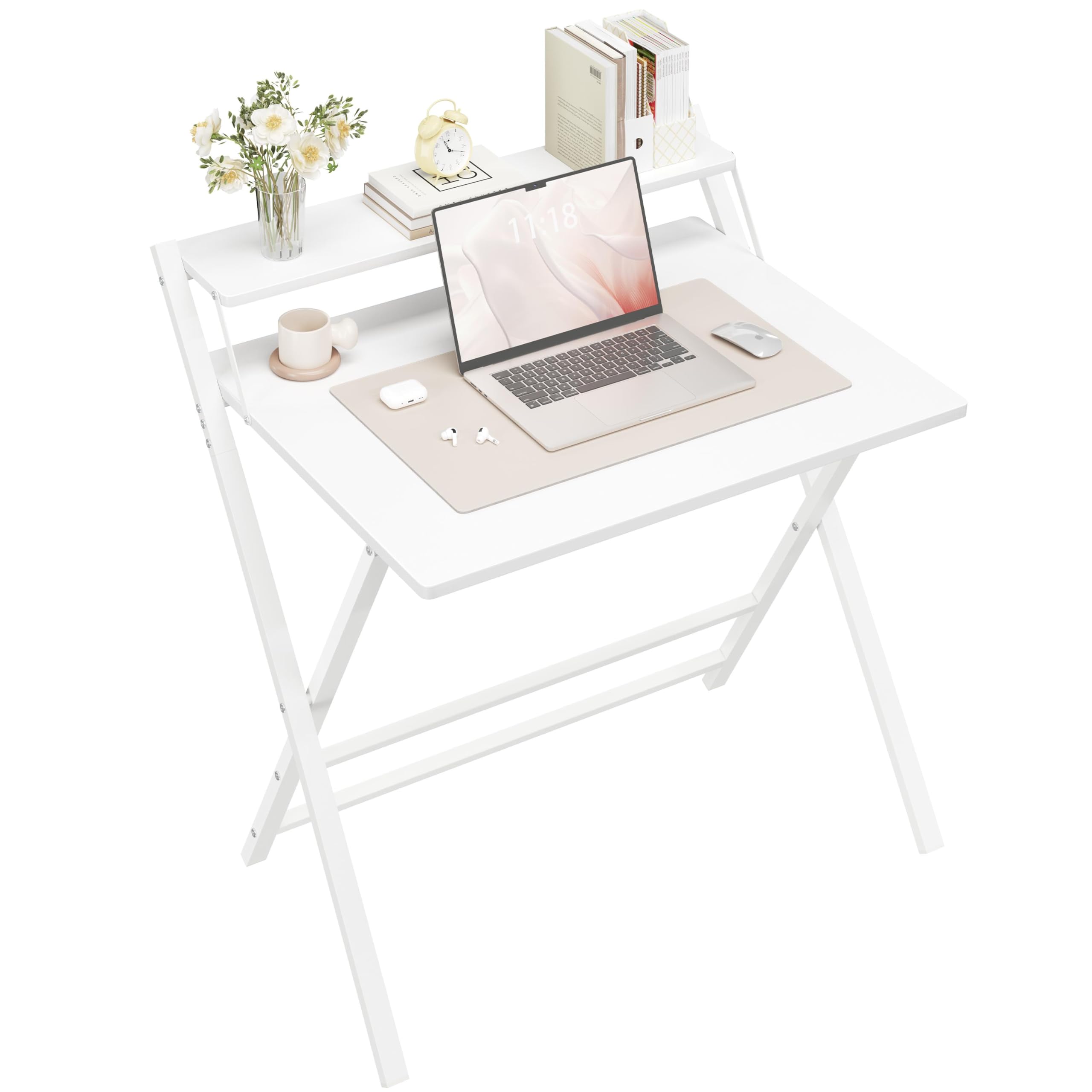
Image: The Yaheetech Folding Computer Desk in white, shown in an open position with a laptop, mouse, and small plant on the main desk surface, and books on the monitor shelf. A white chair is positioned in front of the desk.
Safety Information
- Soargje derfoar dat alle komponinten feilich fêstmakke binne foar gebrûk.
- Do not exceed the maximum weight capacity of 60 kg for the main tabletop and 10 kg for the monitor shelf.
- Keep fingers clear of moving parts during folding and unfolding to prevent pinching.
- Plak it buro op in flak, stabyl oerflak om te foarkommen dat it omfalt.

Image: A safety diagram illustrating correct hand placement (green checkmark) and incorrect hand placement (red cross) when folding the desk, emphasizing to keep fingers away from the metal tubes to prevent pinching.
Pakketynhâld
Your Yaheetech Folding Computer Desk package includes:
- Folding Desk Unit (pre-assembled)
- Montage ynstruksjes
- All necessary assembly tools (if any minor assembly is required beyond unfolding)
Note: The desk is designed for minimal assembly, primarily unfolding.
Setup and Unfolding Instructions
The Yaheetech Folding Computer Desk is designed for quick and easy setup.
Method 1: Unfolding
- Helje it buro foarsichtich út 'e ferpakking.
- Stand the folded desk upright.
- Hold the edge of the tabletop. Ensure your fingers do not extend beyond the end of Tube A (refer to diagram in video).
- Use your foot to push the sliding bar outwards to extend the legs.
- Do not release your hands until the desk is fully open and stable.
Video: This video demonstrates the first method for unfolding the Yaheetech Folding Computer Desk. It shows how to correctly hold the tabletop and use your foot to extend the legs, ensuring safety by keeping fingers clear of pinch points.
Method 2: Unfolding (Alternative)
- Folgje stappen 1-3 fan metoade 1.
- Change the support leg position.
- Do not release your hands until the desk is fully open and stable.
Video: This video illustrates an alternative method for unfolding the Yaheetech Folding Computer Desk. It highlights adjusting the support leg and maintaining hand placement until the desk is fully open.
Operating Instructions
Folding the Desk for Storage
To fold the desk for compact storage:
- Clear all items from the desk surfaces.
- Lift the main tabletop first.
- Once the sliding bar resets, push it downwards to close the desk.
- Ensure fingers are kept away from the metal tubes and hinges underneath while folding to avoid pinching.
Video: This video demonstrates the process of folding the Yaheetech Folding Computer Desk for storage. It shows how to lift the tabletop and reset the sliding bar, emphasizing safe hand placement.
Ergonomic Monitor Shelf
The integrated monitor shelf is designed to elevate your screen to eye level, promoting better posture and reducing strain on your neck and back during extended use.

Image: A diagram showing two figures: one with poor posture (slumped) and another with correct ergonomic posture, achieved by using the monitor shelf to raise the screen to eye level.
Romtebesparjend ûntwerp
The desk's compact folding design allows it to be easily stored under a bed, behind a door, or in a closet, making it ideal for small living spaces.

Image: A collage of images demonstrating the compact folding design of the desk. It shows the desk being stored under a bed, behind a door, and next to a sofa, highlighting its space-saving capabilities.
Ûnderhâld
- Clean the desk surfaces with a damp doek. Mije hurde gemikaliën.
- Regularly check all screws and connections to ensure they are tight.
- Keep the desk dry and away from direct sunlight or extreme temperatures to prevent material damage.

Ofbylding: In close-up view of the desk's elegant particle board tabletop, showing its texture and finish. This material is scratch-resistant and easy to clean.
Troubleshooting
Buro is ynstabyl
- Ensure the desk is fully unfolded and the support bars are locked into place.
- Check that the desk is placed on a flat and even surface.
- Verify all screws are tightened.
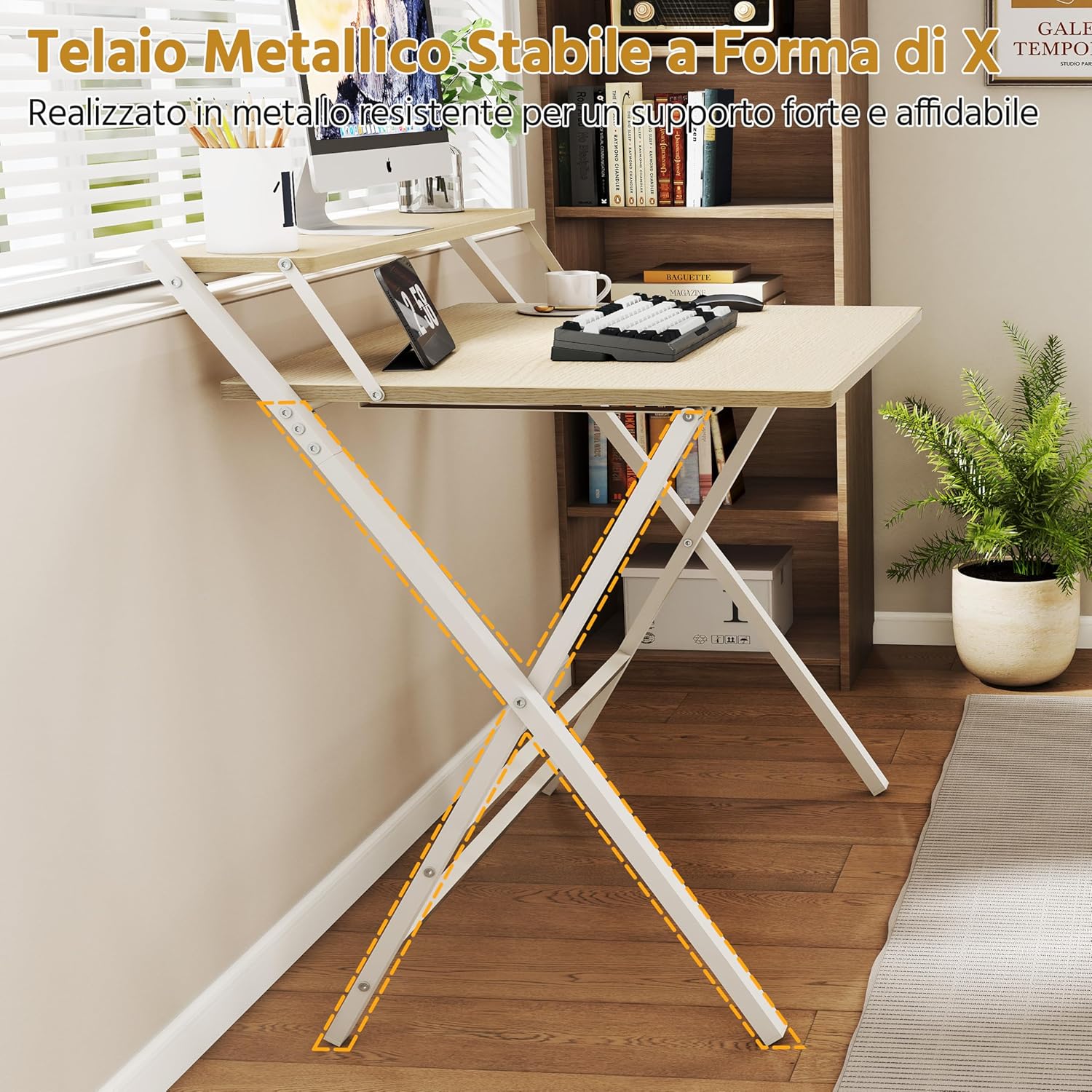
Ofbylding: A view of the desk's stable X-shaped metal frame, highlighting its robust construction for strong and reliable support.
Moeilijkheden mei it op-/útklappen
- Ensure no objects are obstructing the folding mechanism.
- Follow the unfolding/folding instructions carefully, paying attention to hand and foot placement.
Pinching hazard
- Always keep fingers away from the metal tubes and hinges during folding and unfolding. Refer to the safety information section.
Spesifikaasjes
| Eigenskip | Detail |
|---|---|
| Merk | Yaheetech |
| Model Number | SOipel0001001 |
| Kleur | Wyt |
| Grutte | Lyts |
| Produktôfmjittings (Iepen) | 60.5D x 86.5B x 90H sm |
| Folde Ofmjittings | 107 x 86.5 x 4 sm (sawat) |
| Materiaal | Yngenieurd hout, metaal |
| Gewichtskapasiteit (tafelblad) | 60 kg |
| Weight Capacity (Monitor Shelf) | 10 kg |
| Item Gewicht | 9.7 kg |
| Special Features | Ergonomic, Foldable, Scratch-resistant, Monitor Support |
| Gearstalling Required | Yes (DIY assembly, includes all tools) |
Image: A technical diagram displaying the dimensions of the desk in both open and folded configurations, along with the maximum weight capacities for the tabletop and monitor shelf.
Garânsje en stipe
This product comes with a limited warranty. For specific details regarding warranty coverage, please refer to the warranty card included in your package or contact Yaheetech customer support.
For further assistance, troubleshooting, or to purchase replacement parts, please visit the official Yaheetech website of nim kontakt op mei harren klanteservice ôfdieling.