
1. Ynlieding
Welcome to the LIGE DM1-E Smartwatch user manual. This guide provides detailed instructions on how to set up, operate, maintain, and troubleshoot your new smartwatch. Please read this manual thoroughly to ensure optimal performance and longevity of your device.
Wat is yn 'e doaze
- 1 x LIGE DM1-E Smartwatch
- 1 x Magnetic Buckle Strap
- 1 x Siliconenriem
- 1 x Oplaadkabel
- 1 x User Manual
2. Opsette
2.1 It apparaat opladen
Before initial use, fully charge your smartwatch. Connect the magnetic charging cable to the charging contacts on the back of the watch and plug the USB end into a power adapter (not included) or a computer's USB port. The watch will display a charging indicator. A full charge typically takes approximately 2.5 hours.

Image: The LIGE DM1-E Smartwatch connected to its magnetic charging cable, displaying battery life indicators. The watch features a 530mAh battery, offering up to 30 days standby, 5-7 days working time, and 20 days in power-saving mode, with a 2.5-hour charging time. It also highlights the powerful LED flashlight function.
2.2 Yn-/útskeakelje
- Om oan te setten: Press and hold the power button (usually on the side) until the LIGE logo appears on the screen.
- Om út te skeakeljen: Press and hold the power button, then select 'Power Off' from the options displayed on the screen.
2.3 Koppelje mei jo smartphone
To unlock all features, pair your smartwatch with the companion app on your smartphone.
- Download the official LIGE smartwatch app from your phone's app store (compatible with Android 5.0+ and iOS 11+).
- Soargje derfoar dat Bluetooth ynskeakele is op jo smartphone.
- Iepenje de app en folgje de ynstruksjes op it skerm om in akkount te meitsjen of oan te melden.
- In the app, search for your device (DM1-E) and initiate the pairing process.
- Befêstigje it fersyk om koppeling op sawol jo tillefoan as smartwatch.
2.4 Strap Installation and Adjustment
The LIGE DM1-E comes with interchangeable straps. To attach or remove a strap, locate the quick-release pins on the underside of the strap. Slide the pin to detach or attach the strap to the watch body. Adjust the strap to a comfortable fit on your wrist, ensuring it is snug enough for accurate sensor readings but not too tight.
Ofbylding: Close-up view of the LIGE DM1-E Smartwatch strap, highlighting its outer leather material for durability, improved inner silicone for comfort and sweat resistance, and a strong magnetic metal buckle for secure and adjustable fit.
3. Bedriuwsinstruksjes
3.1 Navigaasje werjaan
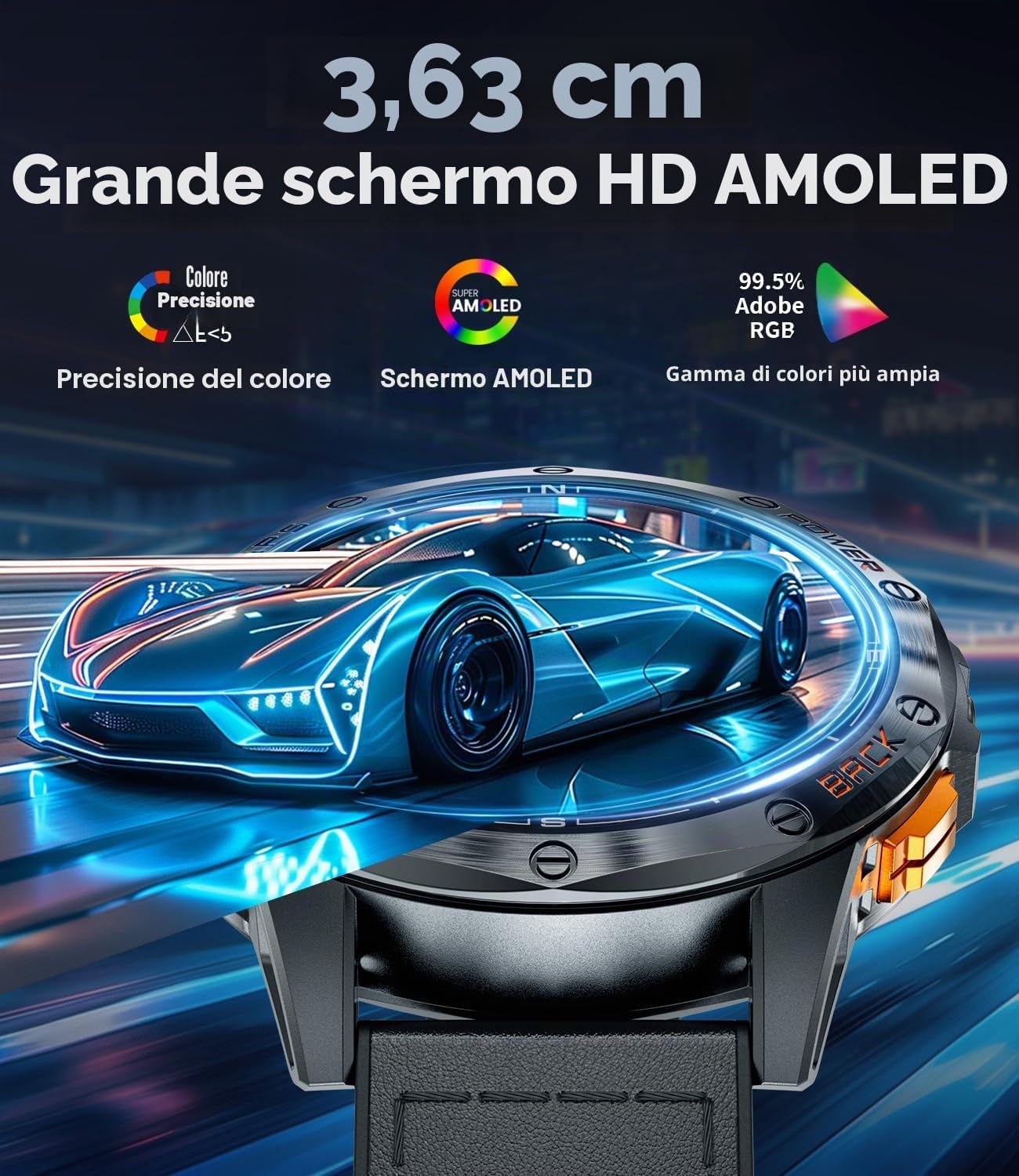
The LIGE DM1-E features a 1.43-inch AMOLED touchscreen display for intuitive interaction. Swipe left, right, up, or down to navigate through menus and features. Press the side buttons for quick access to specific functions or to return to the home screen.

Image: The LIGE DM1-E Smartwatch in a tactical outdoor environment, showcasing its bright display and the integrated LED flashlight function.
3.2 Bluetooth-opropen en notifikaasjes
Once paired with your smartphone, the DM1-E allows you to make and receive Bluetooth calls directly from your wrist. You will also receive real-time notifications for calls, text messages, and social media alerts.
- Oproppen meitsje: Access the 'Dialer' or 'Contacts' menu on your watch to initiate a call.
- Oproppen ûntfange: Tap the green icon on the watch screen to answer incoming calls.
- Notifikaasjes: Swipe nei ûnderen fan 'e boppekant fan it horloazjegesicht om view resinte notifikaasjes.

Image: A user interacting with the LIGE DM1-E Smartwatch for Bluetooth calls, showing the watch's microphone, call log, contacts, and dialing features, alongside various social media notification icons.
3.3 GPS and Navigation Features
The DM1-E features integrated GPS, a compass, altimeter, and barometer, making it suitable for outdoor activities.
- GPS folgjen: The integrated GPS precisely tracks your movement trajectory during outdoor activities. You can view your route on the watch and the companion app.
- Kompas: Access the compass feature to determine your direction.
- Hichtemeter & Barometer: Monitor altitude and atmospheric pressure for environmental awareness during hikes or climbs.

Image: The LIGE DM1-E Smartwatch showing integrated GPS functionality, with a map displaying a tracked route on both the watch and a connected smartphone.

Image: The LIGE DM1-E Smartwatch displaying its compass interface, showing direction, altitude, and atmospheric pressure readings.
3.4 Sport Modes
The smartwatch supports over 100 professional sport modes. To select a sport mode:
- Swipe to the 'Sport' menu or press the dedicated sport mode button (if available).
- Selektearje jo winske aktiviteit (bygelyks rinnen, fytse, kuierje).
- The watch will begin tracking metrics such as calories burned, distance, steps, and workout duration.

Image: The LIGE DM1-E Smartwatch interface displaying various functions including a wrist compass, camera control, music controls, and weather forecast.
3.5 LED zaklamp
The integrated LED flashlight can be activated with a single touch. This feature is useful for camping, night cycling, or in low-light conditions.
3.6 Stimassistint
The built-in voice assistant allows for quick command execution and efficient daily planning. Activate it through the watch interface and speak your commands.
4. Underhâld
4.1 Cleaning
Meitsje jo smartwatch en riem regelmjittich skjin om hûdirritaasje te foarkommen en funksjonaliteit te behâlden.
- Feie it skerm en de lichem fan it horloazje ôf mei in sêfte, damp, pluisfrij doek.
- For silicone straps, you can use mild soap and water. For leather straps, use a specialized leather cleaner and avoid excessive moisture.
- Soargje derfoar dat de oplaadkontakten skjin en droech binne foardat jo oplade.
4.2 Wetter Resistance
The LIGE DM1-E Smartwatch is rated IP68 and is water-resistant up to 50 meters. This means it can withstand splashes, rain, and shallow-water activities like swimming. However, it is not recommended for hot showers, saunas, or deep diving, as steam and high pressure can compromise the seals.

Image: The LIGE DM1-E Smartwatch worn by a diver underwater, illustrating its water resistance and ability to track metrics like distance, calories, and steps during aquatic activities. The watch supports over 100 sport modes.
4.3 Batterij Soarch
- Foarkom ekstreme temperatueren, dy't de libbensdoer fan 'e batterij kinne ferleegje.
- Lit it horloazje net foar langere perioaden folslein ûntladen.
- Brûk allinich de levere oplaadkabel.
4.4 Software Updates
Periodically check the companion app for available software updates. Updates often include performance improvements, new features, and bug fixes. Ensure your watch is sufficiently charged before starting an update.
5. Probleemoplossing
5.1 Mienskiplike problemen
- Horloazje giet net oan: Ensure the watch is fully charged. If it still doesn't turn on, try a hard reset (see 5.2).
- Kin net keppele wurde mei tillefoan: Ensure Bluetooth is enabled on your phone and the watch. Make sure the app is open and searching for devices. Try restarting both the watch and phone.
- Unkrekte sensorlêzingen: Soargje derfoar dat it horloazje strak om jo pols sit. Meitsje it sensorgebiet oan 'e efterkant fan it horloazje skjin.
- Notifikaasjes dy't net ferskine: Check app permissions on your phone to ensure the smartwatch app has access to notifications. Verify that notifications are enabled in the smartwatch app settings.
5.2 It apparaat weromsette
If your smartwatch is experiencing persistent issues, you may need to perform a factory reset. This will erase all data on the watch and restore it to its original settings.
- Navigate to 'Settings' on your smartwatch.
- Look for 'System', 'Reset', or 'Factory Reset' options.
- Confirm the reset. The watch will restart automatically.
6. Spesifikaasjes
| Eigenskip | Detail |
|---|---|
| Model Namme | DM1-E |
| Skerm | 1.43-inch AMOLED, 360x360 Resolution, 1500 NIT Max Brightness |
| Batterij Kapasiteit | 530 mAh Lithium Polymer |
| Batterijlibben (typysk gebrûk) | Oant 12 dagen |
| Batterijlibben (standby) | Oant 30 dagen |
| Oplaadtiid | Ca. 2.5 oeren |
| Unthâld Kapasiteit | 256 MB |
| Konnektivität | Bluetooth |
| Kompatibiliteit | Android 5.0+ en iOS 11+ |
| Sensors | Integrated GPS, Compass, Altimeter, Barometer, Pedometer, Heart Rate Monitor |
| Wetter Resistance | IP68, 50 Meters |
| Koffer Materiaal | Rustfrij stiel |
| Riem Materiaal | Leather (interchangeable with silicone/magnetic) |
| Gewicht | 180g wy |
| Special Features | LED Flashlight, Bluetooth Calls, Voice Assistant, 100+ Sport Modes, Customizable Watch Faces, SOS Function |
7. Garânsje en stipe
7.1 Warranty Information
The LIGE DM1-E Smartwatch comes with a 2-jierrige beheinde garânsje fan 'e datum fan oankeap, dy't produksjefouten dekt. Derneist, in 6-month return service is available. Please retain your proof of purchase for warranty claims.
7.2 Customer Support
For any questions, technical assistance, or warranty claims, please contact our professional customer service team. We offer 24-oere online tsjinst om jo te helpen.

Image: The LIGE brand logo accompanied by icons and text detailing customer support services: 24-hour online service, 6-month return service, and a 2-year warranty.