
Ynlieding
The CORBOBO LINGBAO K75 is a 75% wireless mechanical keyboard designed for versatility and performance. It features multiple connection modes, hot-swappable switches, RGB backlighting, and a durable design. This manual provides detailed instructions for setting up, operating, and maintaining your keyboard.
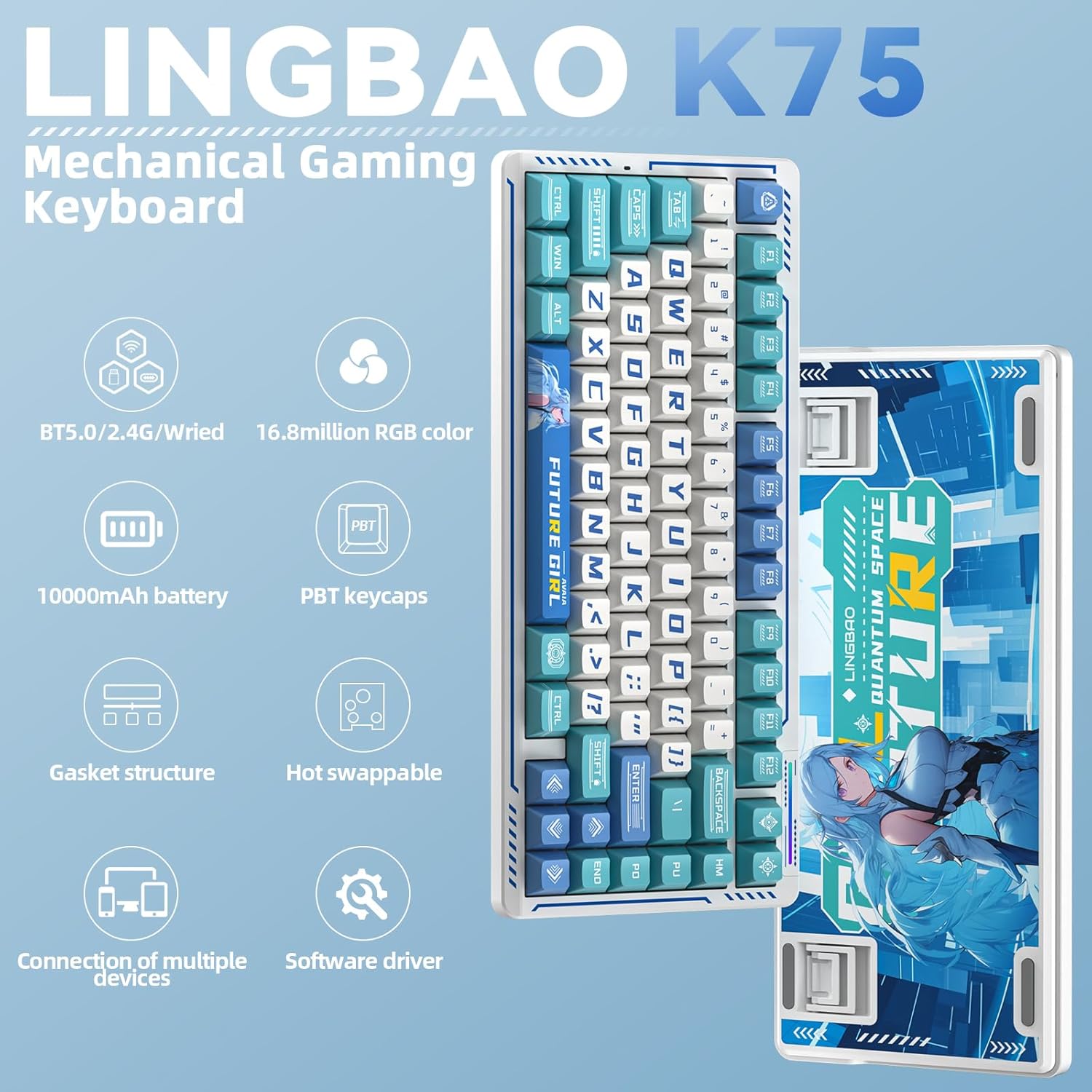
Ofbylding: Oerview of the LINGBAO K75 Mechanical Gaming Keyboard highlighting its key features.
Wat is yn 'e doaze
- Toetseboerd x 1
- User Manual
- USB-C-kabel x 1
- Keycap Puller
- Extra Switch x 2
Opsette
Ferbining Modes
The K75 keyboard supports three connection modes: 2.4GHz wireless, Bluetooth (BT), and wired (USB-C). You can seamlessly switch between these modes to connect to up to 5 different devices. The mode can be easily switched using the power button located on the top of the keyboard.
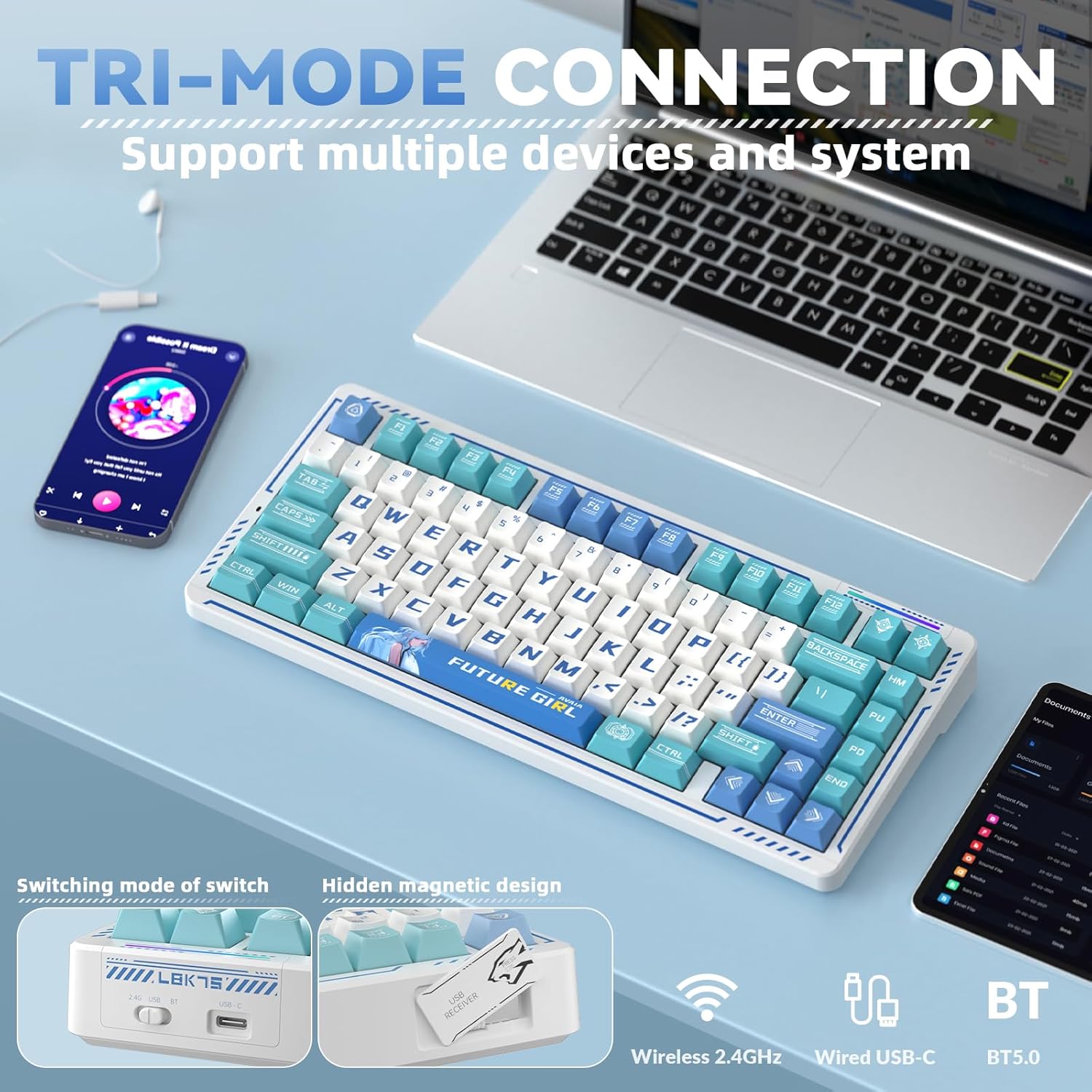
Image: The keyboard demonstrating its tri-mode connection capability with various devices.
Video: Demonstrates the LINGBAO K75 keyboard's features, including its tri-mode connection, hot-swappable switches, and RGB lighting effects.
Driver Ynstallaasje
For comprehensive customization, including full-key macro command programming and advanced lighting effects, install the dedicated driver software. The driver can only be set via a wired connection on Windows systems. Download the driver from: bit.ly/m/corbobo.

Image: The software driver interface for customizing keyboard settings and RGB lighting.
Operating Instructions
Key Functions and Customization
The 75% layout retains independent arrow keys. Utilize the programmable driver for full-key macro commands to enhance efficiency in work or gaming. Refer to the driver software for detailed key remapping and macro creation.
RGB-efterljochtkontrôle
The keyboard offers 16.8 million RGB colors and various lighting effects. You can adjust the backlight using keyboard shortcuts or through the driver software. A unique music rhythm lighting effect mode allows the keyboard's RGB backlight to synchronize with audio played on your computer.

Ofbylding: De toetseboerdshowasing its 16.8 million RGB backlight with control shortcuts.
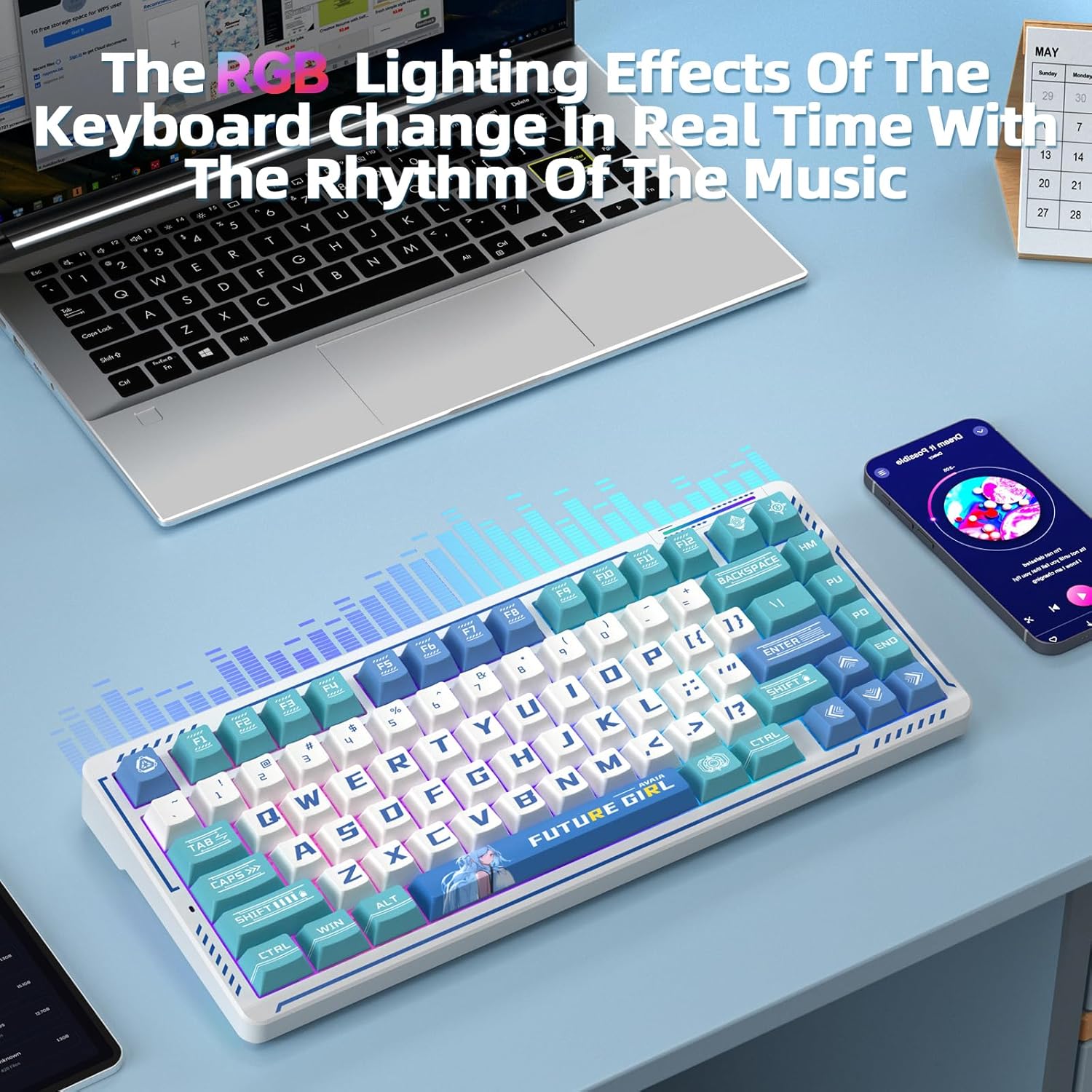
Image: The keyboard's RGB lighting effects dynamically changing with music rhythm.
Hot-Swappable Switches
The keyboard features a hot-swappable base compatible with 3-pin or 5-pin mechanical switches. This allows for easy replacement and customization of switches without soldering, providing a personalized typing experience.
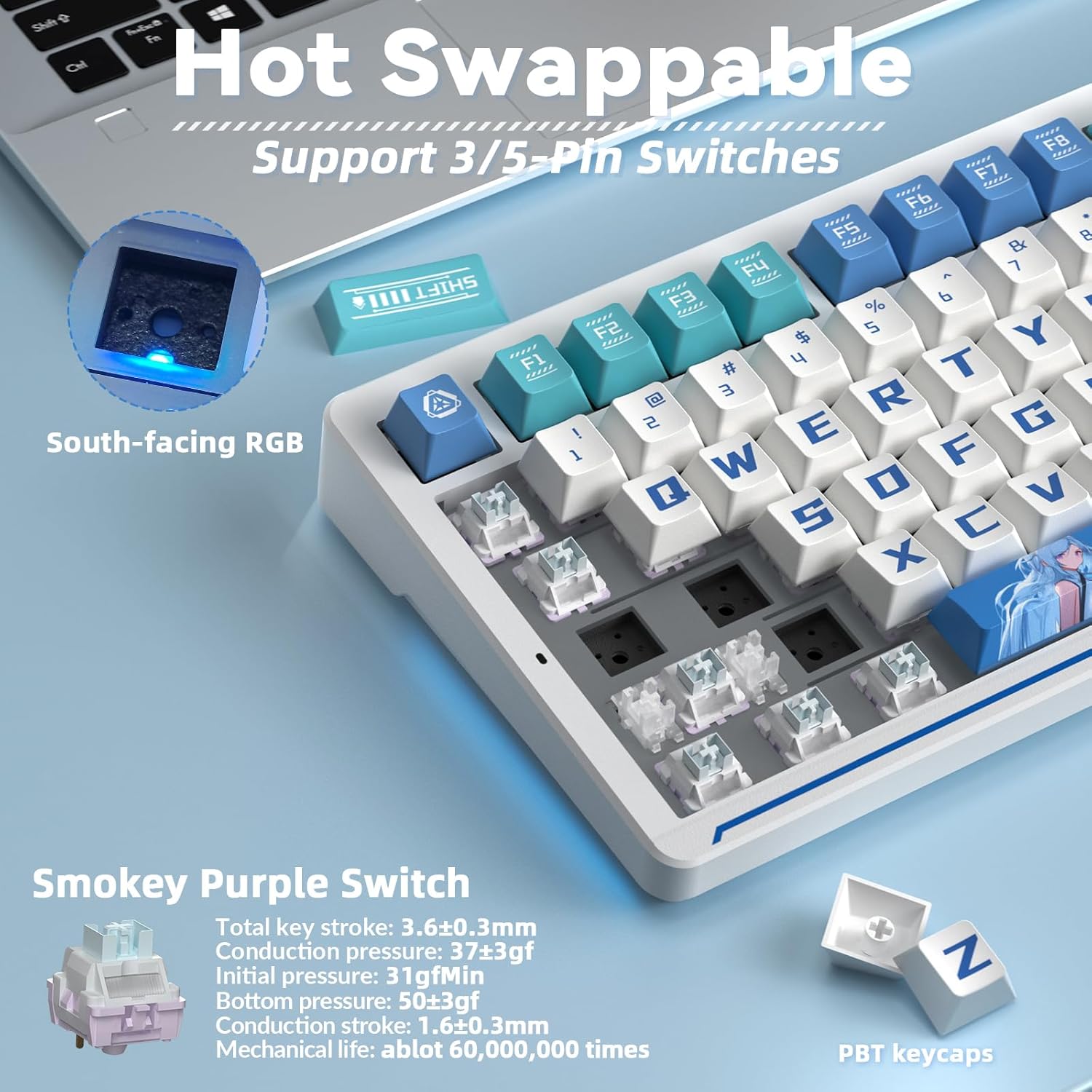
Image: Illustration of the hot-swappable switch functionality.
Ûnderhâld
Batterij opladen
The keyboard is equipped with a 10000mAh battery. For optimal battery health and longevity, charge the keyboard exclusively via a computer's USB port. Avoid using mobile phone fast chargers or overcurrent/overvoltage opladers.
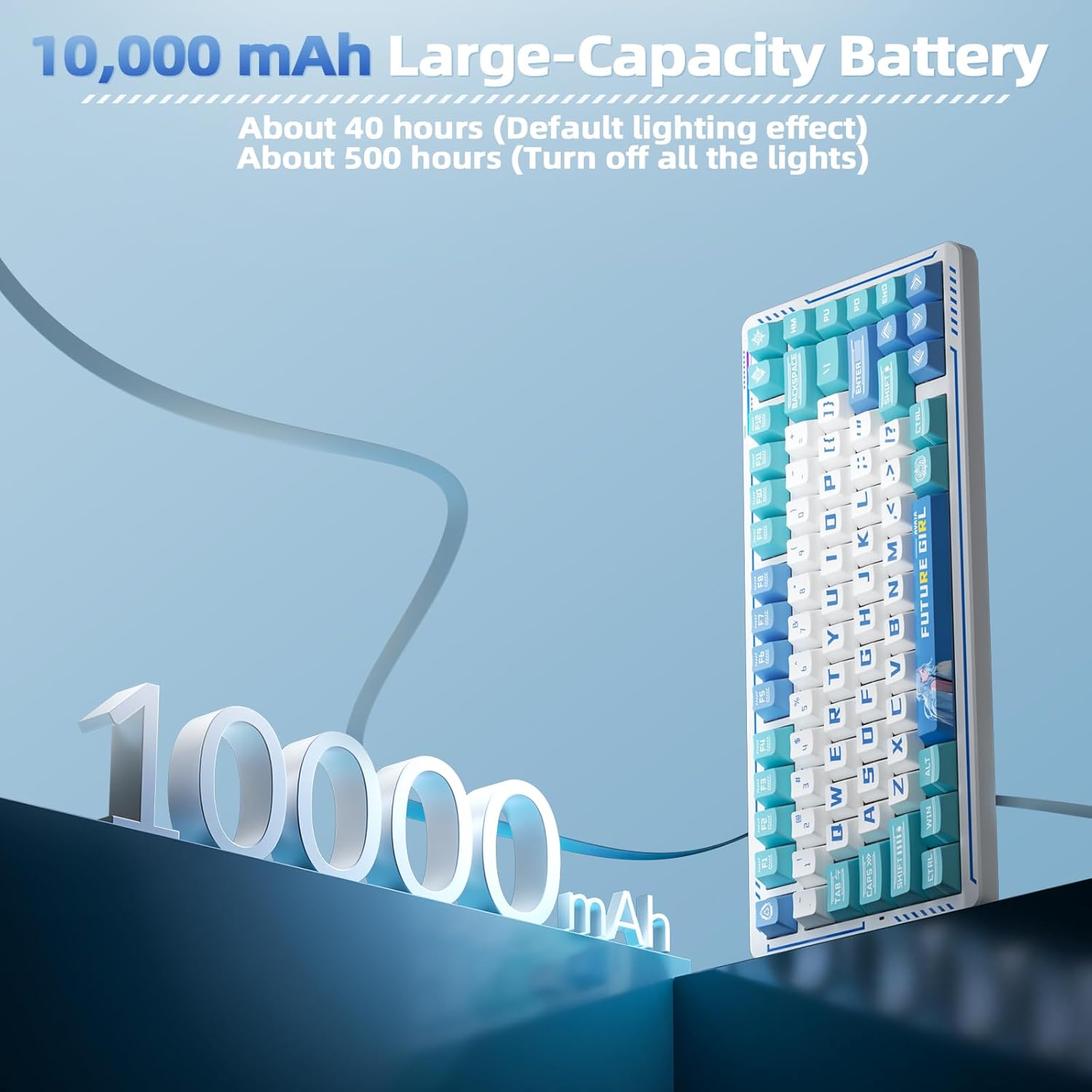
Image: Visual representation of the keyboard's 10000mAh battery capacity.
PBT Keycaps and Gasket Structure
The keyboard features two-color injection-molded PBT keycaps, known for their wear resistance and durability, ensuring characters do not fade. The five-layer gasket structure reduces noise and provides a comfortable typing experience. Regular cleaning with a soft, dry cloth is recommended to maintain the keyboard's appearance.

Ofbylding: Eksplodearre view of the keyboard's gasket structure and PBT keycaps.
Troubleshooting
Konnektivität Issues
- Soargje derfoar dat it toetseboerd opladen is.
- Verify the correct connection mode (2.4G, BT, or wired) is selected on the keyboard.
- For 2.4G wireless, ensure the USB receiver is securely plugged into your device.
- For Bluetooth, ensure the keyboard is in pairing mode and visible to your device.
- Besykje jo kompjûter of apparaat op 'e nij te starten.
Driver Software Issues
- The driver software is compatible with Windows systems only.
- Ensure the keyboard is connected via USB-C cable when using the driver for customization.
- If issues persist, reinstall the driver software from the official download link.
Spesifikaasjes
| Eigenskip | Detail |
|---|---|
| Produkt Ofmjittings | 13.77 x 7.08 x 1.88 inch |
| Item Gewicht | 3.14 pyk |
| Fabrikant | CORBOBO |
| Item Model Number | K75 |
| Batterijen | 2 net-standert batterijen nedich (ynbegrepen) |
| Kompatibele apparaten | Gaming Console, Laptop, PC, Smartphone |
| Konnektivität Technology | 2.4G Wireless, BT5.0, USB-C |
| Toetseboerdbeskriuwing | Mechanysk toetseboerd |
| Special Feature | Anime, Hot-Swappable, Mechanical keyboard, Programmable Keys |
| Toetseboerd Backlighting | RGB |
Garânsje en stipe
For warranty information, technical support, or further assistance, please refer to the official CORBOBO webside of nim direkt kontakt op mei harren klanttsjinst. Details kinne typysk fûn wurde op 'e produktferpakking of de fabrikant syn website.