
WESEARY WG2
WESEARY WG2 Bedrade Gaming Headset Brûkershânlieding
Model: WG2
1. Ynlieding
Thank you for choosing the WESEARY WG2 Wired Gaming Headset. This manual provides detailed instructions for setting up, operating, and maintaining your headset to ensure an optimal gaming experience. The WG2 headset is designed for immersive audio and clear communication across multiple gaming platforms.
2. Wat sit der yn 'e doaze
- WESEARY WG2 Gaming Headset (1 unit)
- 1 to 2 3.5mm Audio Jack Splitter Cable (1 unit)
- Brûkershânlieding (dit dokumint)
3. Produkt Overview
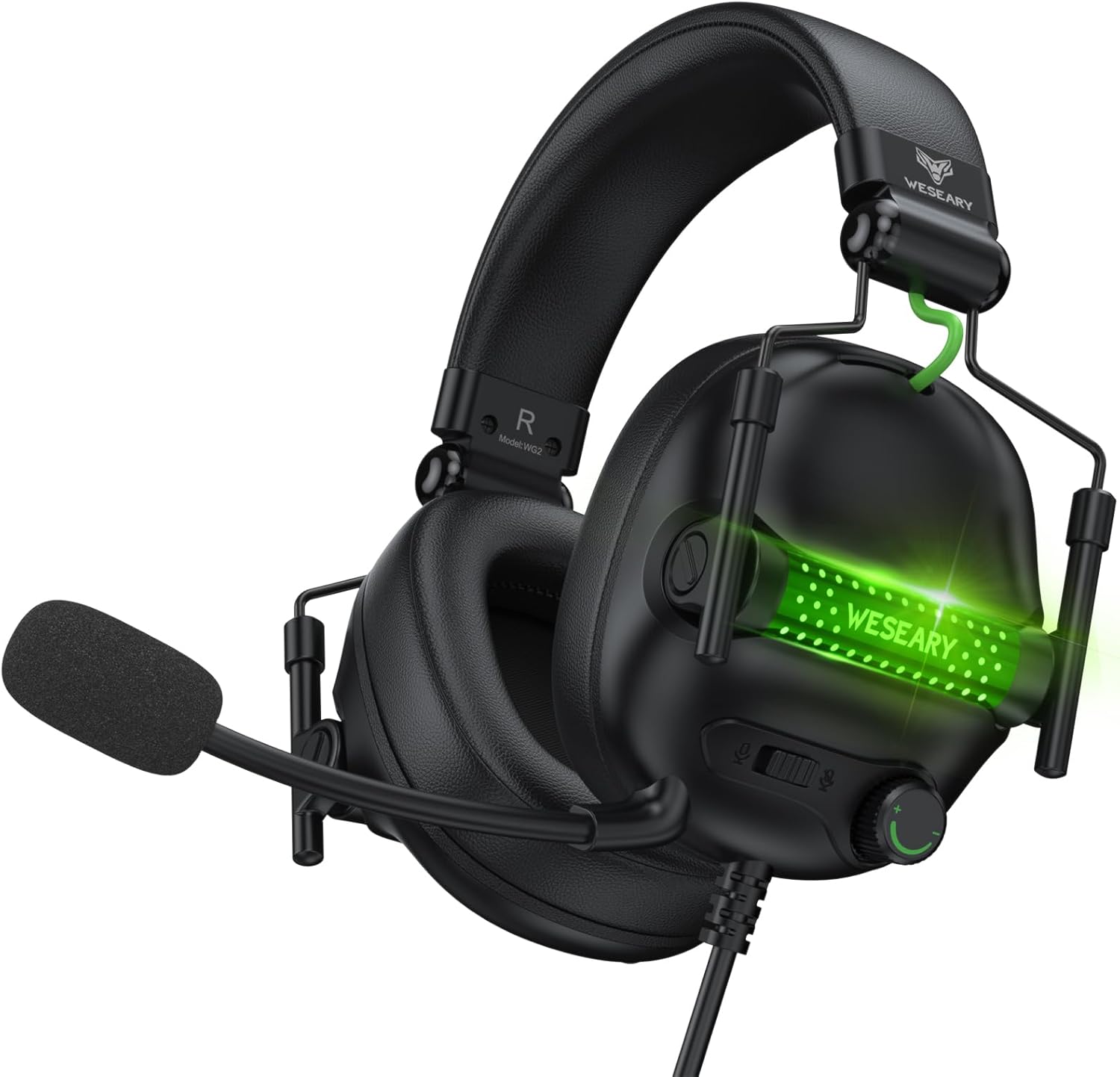
The WESEARY WG2 headset features 50mm drivers for rich stereo sound, an omnidirectional noise-canceling microphone for clear communication, and comfortable memory foam earcups. It is designed for multi-platform compatibility.
3.1 Key Features
- Immersive stereolûd: 50mm high-density neodymium drivers deliver detailed 3D stereo audio.
- Noise-cancelling mikrofoan: 360° rotatable omnidirectional microphone with advanced noise cancellation for clear voice pickup.
- Ergonomysk komfort: Lightweight design with soft memory foam earcups and an adjustable headband for extended wear.
- Moeiteleaze kontrôles: In-line rotary volume control and one-button microphone mute.
- Duorsum ûntwerp: Features a strong braided cable for longevity.
3.2 Headsetkomponinten


4. Setup Ynstruksjes
The WESEARY WG2 headset connects via a 3.5mm audio jack. Follow these steps to connect your headset to your device.
4.1 Connecting to PC/Laptop/Mac (with separate audio/mic ports)
- Locate the 3.5mm audio output port (headphone icon) and microphone input port (microphone icon) on your computer.
- Connect the 1 to 2 3.5mm Audio Jack Splitter Cable to the headset's 3.5mm jack.
- Plug the green connector of the splitter into your computer's audio output port.
- Plug the pink connector of the splitter into your computer's microphone input port.
- For LED lighting, connect the USB cable to an available USB port on your computer.
4.2 Connecting to PS4/PS5, Nintendo Switch, Xbox Series X|S, Mobile/Tablet (with single 3.5mm port)
- Plug the headset's 3.5mm jack directly into the 3.5mm audio port on your controller (PS4/PS5, Xbox Series X|S), console (Nintendo Switch), or mobile device.
- For LED lighting, connect the USB cable to an available USB port on your console or a USB power adapter.
- Note for Xbox One (older controllers): A Microsoft adapter (not included) is required for older Xbox One controllers that do not have a built-in 3.5mm jack.
- Kompatibiliteitsnotysje: This headset is not compatible with PS3 (without a 3.5mm adapter) or Xbox 360.

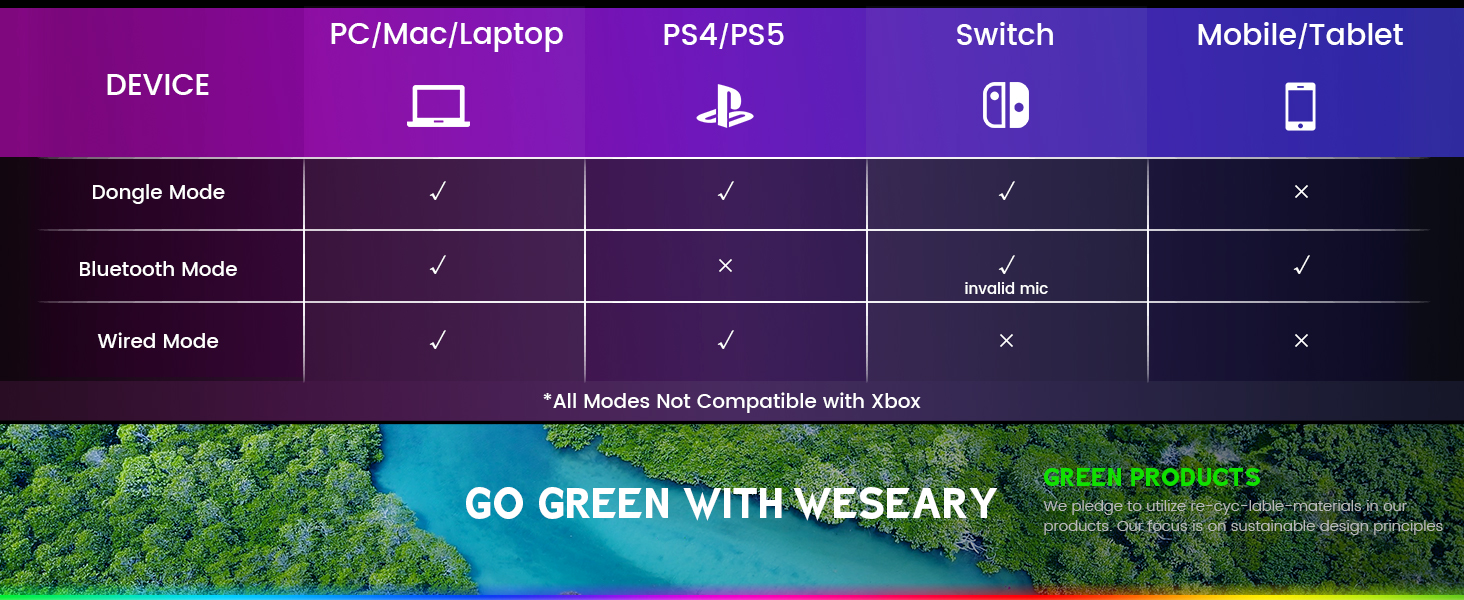
Wichtige opmerking: The WESEARY WG2 is a bedrade gaming headset. Any references to "Dongle Mode" or "Bluetooth Mode" in external diagrams or marketing materials are not applicable to this specific model (WG2) which connects solely via its 3.5mm audio jack and USB for LED power.
5. Bedriuwsinstruksjes
5.1 Folume oanpasse
- Locate the rotary volume control wheel on the left earcup or in-line control.
- Rotate the wheel upwards to increase volume.
- Rotate the wheel downwards to decrease volume.

5.2 De mikrofoan dempe
- Locate the microphone mute button on the left earcup or in-line control.
- Press the button once to mute the microphone.
- Press the button again to unmute the microphone.
5.3 De mikrofoan oanpasse
- The microphone is 360° rotatable. Adjust its position for optimal voice pickup.
- Position the microphone approximately 1-2 inches from your mouth for best clarity.


5.4 Adjusting Headset Fit
- Adjust the headband by sliding the earcups up or down until the headset fits comfortably over your ears.
- Ensure the earcups fully enclose your ears for optimal sound isolation and comfort.
6. Multi-Platform Compatibility
The WESEARY WG2 Wired Gaming Headset is compatible with a wide range of devices:
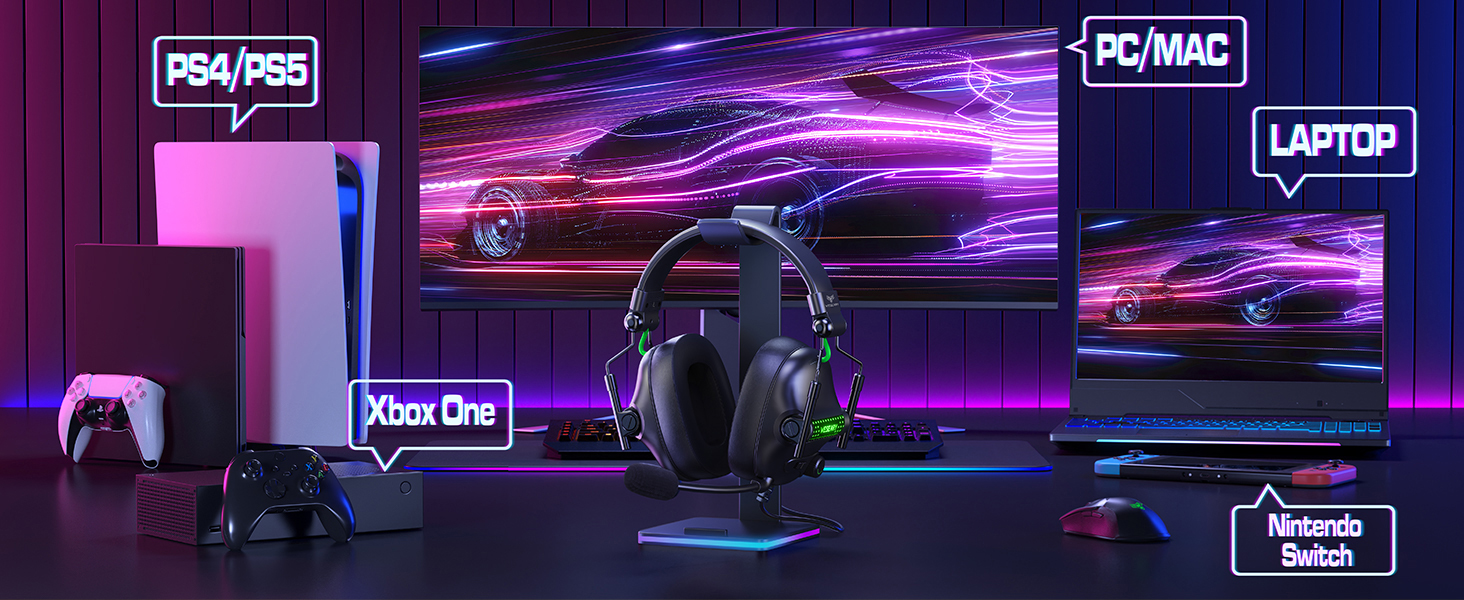
- Gaming konsoles: PlayStation 5 (PS5), PlayStation 4 (PS4), Xbox Series X|S, Nintendo Switch.
- Kompjûters: PC, Laptops, Mac.
- Mobile apparaten: Mobile phones, Tablets.
Wichtige notysjes:
- For older Xbox One controllers without a 3.5mm jack, a Microsoft adapter (not included) is required.
- The headset is not compatible with PS3 or Xbox 360 without additional adapters.
- The USB connection is solely for powering the LED lighting and does not transmit audio.
7. Underhâld
- Reiniging: Brûk in sêfte, droege doek om de headset skjin te meitsjen. Brûk gjin agressive gemikaliën of skurende materialen.
- Opslach: Bewarje de headset op in koel, droech plak, fuort fan direkt sinneljocht en ekstreme temperatueren. It opklapbere ûntwerp makket kompakte opslach mooglik.
- Kabelsoarch: Foarkom skerpe bochten of tefolle lûken oan 'e kabel om skea te foarkommen.
8. Probleemoplossing
8.1 Gjin lûd út koptelefoan
- Soargje derfoar dat de 3.5mm audio-jack folslein yn 'e audiopoarte fan it apparaat ynfoege is.
- Check the volume control wheel on the headset and ensure it is turned up.
- Verify the audio output settings on your device (console, PC, etc.) are configured to use the headset.
- If using the splitter cable, ensure both green and pink jacks are correctly connected to their respective ports.
8.2 Mikrofoan wurket net
- Soargje derfoar dat de knop foar it dempen fan 'e mikrofoan op 'e headset net aktivearre is.
- Check the microphone input settings on your device (console, PC, etc.) to ensure the headset microphone is selected and its volume is not muted.
- Ensure the 3.5mm audio jack (and pink splitter jack if applicable) is fully inserted.
- Pas de posysje fan 'e mikrofoan tichter by jo mûle oan.
8.3 LED-ljochten wurkje net
- Ensure the USB cable is securely connected to a powered USB port on your device or a USB power adapter.
- Besykje de USB-kabel oan in oare USB-poarte te ferbinen.
9. Spesifikaasjes
| Model Namme | WG2 |
| Konnektivität Technology | Wired (3.5mm Audio Jack, USB for LED) |
| Audio Driver Type | Dynamyske driver (50mm Neodymium) |
| Impedânsje | 32 ohms |
| Ear Placement | Oer Ear |
| Noise Control | Lûdsisolaasje, lûdsûnderdrukking (mikrofoan) |
| Mikrofoan | Omnidirectional, Noise-Canceling, 360° Rotatable |
| Materiaal | Composite, Plastic (with Memory Foam Earcups) |
| Produkt Ofmjittings | 5.5 x 2.98 x 5.5 inch |
| Item Gewicht | 14.8 oz |
| Kleur | Swarte rots |
| Fabrikant | WESEEARY |
10. Garânsje en stipe
For warranty information and technical support, please refer to the documentation provided with your purchase or visit the official WESEARY webside. Bewarje jo bewiis fan oankeap foar garânsjeclaims.
Online stipe: Visit the WESEARY Store on Amazon
11. Produktfideo
Fideo 1: WESEARY Wired Gaming Headset OverviewDizze fideo jout in koart oersjochview of the headset's features and design, demonstrating its immersive sound and clear communication capabilities.
Ask a question about this manual
Ask about setup, troubleshooting, compatibility, parts, safety, or missing instructions. Manuals+ will review the question and use this page’s manual context to help answer it.