
1. Ynlieding
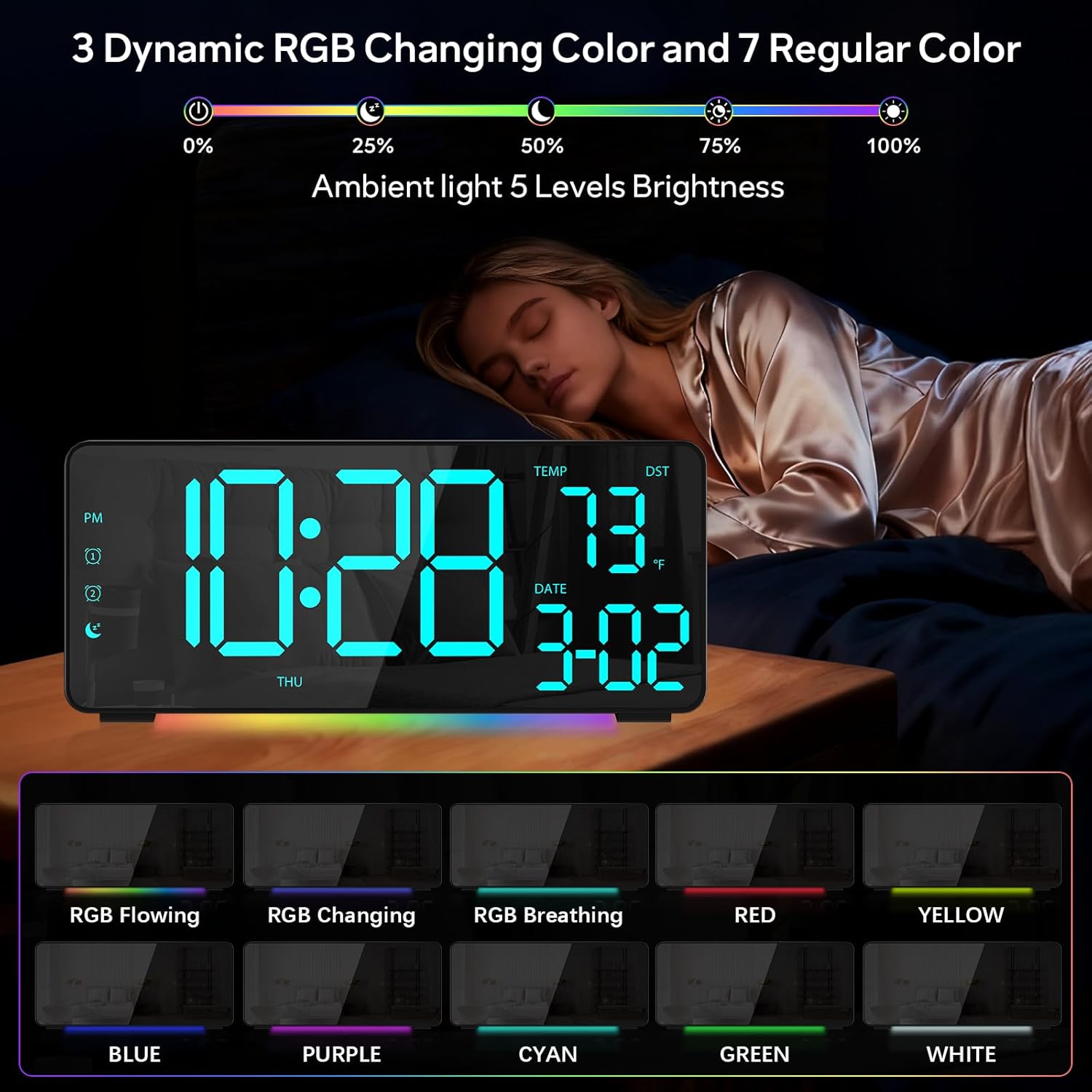
The EVILTO RGB Digital Alarm Clock is designed to provide clear time display, dual alarm functionality, and ambient lighting options. It features a high-contrast screen that shows time, temperature, date, and day of the week. With customizable RGB display colors and ambient light settings, it complements various room decors while offering practical features like Daylight Saving Time (DST) adjustment and power-outage memory.
2. Safety Ynstruksjes
- Ensure the device is placed on a stable, flat surface to prevent falling.
- Keep away from water or high humidity environments to avoid electrical hazards.
- Net bleatstelle oan direkt sinneljocht of ekstreme temperatueren.
- Brûk allinnich de meilevere stroomadapter en kabel.
- Hâld bûten it berik fan bern.
- Do not attempt to disassemble or repair the device yourself. Contact customer support if needed.
3. Package Ynhâld
Kontrolearje oft alle items yn it pakket oanwêzich binne:
- EVILTO RGB Digital Alarm Clock Unit
- USB-C Power Kabel
- Stromadapter
- User Manual
4. Produkt Overview
The alarm clock features a large digital display and intuitive controls. Familiarize yourself with the main components and buttons:
figuer 1: Front view of the EVILTO RGB Digital Alarm Clock, showing the time, temperature, date, and day of the week. The display features vibrant RGB colors.

figuer 2: Rear view of the EVILTO RGB Digital Alarm Clock, highlighting the control buttons for settings, alarms, display, and the USB-C input and USB output ports.
Kontrôle knoppen:
- SET knop: Enters/confirms settings.
- Helderheidsknop: Past display helderheid oan.
- RGB-knop: Cycles through RGB display colors.
- Alarm 1/2 Buttons: Activates/deactivates and sets Alarm 1 or Alarm 2.
- Volume knop: Pas alarmvolume oan.
- DST-knop: Skeakelt de simmertiid yn.
- 12/24H Button: Switches between 12-hour and 24-hour time format.
- °C/°F knop: Switches between Celsius and Fahrenheit for temperature display.
5. Opsette
5.1 It apparaat oanmeitsje
The alarm clock operates via a corded electric connection. For power-outage memory, install 3 AAA batteries (not included).
- Connect the USB-C power cable to the INPUT port on the back of the clock.
- Stek de stroomadapter yn in standert stopkontakt.
- For backup power, open the battery compartment on the back and insert 3 AAA batteries, ensuring correct polarity.

Figure 3: The clock connected via USB-C for power, demonstrating its USB output for charging other devices.

Figure 4: Illustration of the power-outage memory function, showing the battery compartment for AAA batteries to retain settings during power interruptions.
6. Bedriuwsinstruksjes
6.1 Tiid en datum ynstelle
- Druk en hâld de SET button on the back of the clock for 3 seconds to enter time setting mode. The hour digits will begin to flash.
- Brûk de + en - knoppen om it oere oan te passen.
- Parse SET again to move to minute setting. Use + en - minuten oan te passen.
- Trochgean te drukken SET om troch jier-, moanne- en deiynstellingen te blêdzjen, elk oan te passen mei + en -.
- Parse SET ien lêste kear om de ynstellingsmodus te ferlitten.
- Om te wikseljen tusken 12-oere en 24-oere formaat, druk koart op de 12/24H knop.
- To switch between Celsius and Fahrenheit, short press the ° C / ° F. knop.
6.2 Alarms ynstelle
The clock supports two independent alarms with four modes (Daily, Weekday 1, Weekday 2, Weekend).
- Druk en hâld de Alarm 1 or Alarm 2 button for 3 seconds to enter alarm setting mode. The hour digits will flash.
- Brûk de + en - knoppen om it winske alarmoere yn te stellen.
- Druk op de Alarm button again to set the minutes, adjusting with + en -.
- Druk op de Alarm button a third time to select the alarm mode (Daily, Weekday 1, Weekday 2, Weekend) using + en -.
- Druk op de Alarm button one last time to confirm and exit.
- To activate or deactivate an alarm, short press its respective Alarm 1 or Alarm 2 button. An icon will appear/disappear on the display.
- As der in alarm ôfgiet, druk dan op de SNOOZE button (top center) to activate snooze for 5 minutes. To turn off the alarm, press any other button.

Figure 5: The clock illustrating the setup for dual alarms with options for daily, weekday, or weekend modes.
6.3 Adjusting Display and Ambient Light
- Display helderheid: Koarte druk op de Helderheid button on the back to cycle through 5 adjustable brightness levels for the main display.
- RGB Display Colors: Koarte druk op de RGB button on the back to cycle through 15 vibrant RGB display colors, including 4 dynamic RGB modes, 7 regular colors, and 4 specific color options.
- Ambient ferljochting: The clock features 10 ambient lighting options. These can be adjusted independently from the main display colors. Refer to the specific instructions in the included manual for ambient light control.
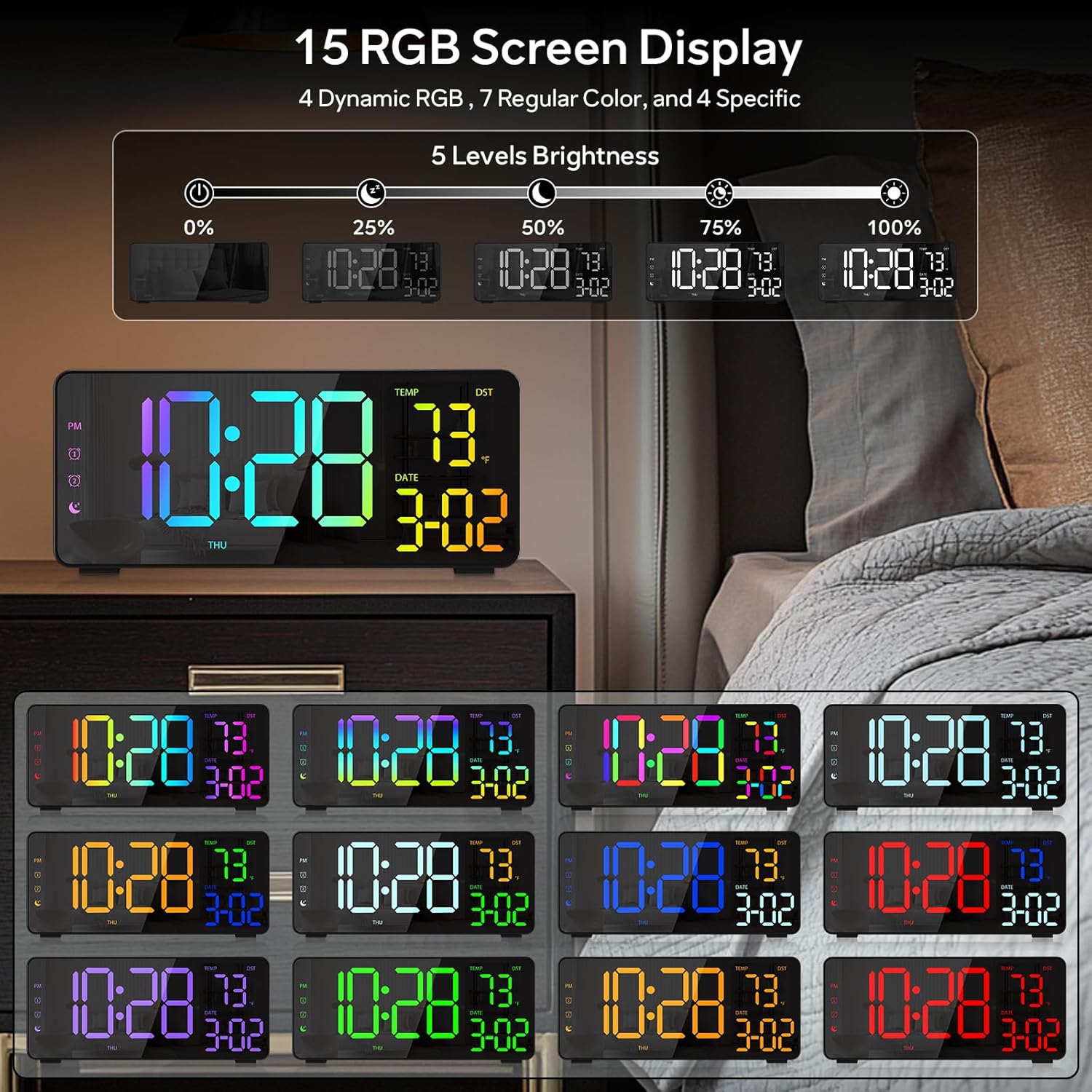
Figure 6: Various display color options and brightness levels of the digital alarm clock.
6.4 Oanpassing fan simmertiid (DST)
To adjust for Daylight Saving Time, simply press the DST button on the back of the clock. This will move the time forward or backward by 1 hour, keeping your clock synchronized with seasonal changes.
7. Underhâld
- Clean the clock's surface with a soft, dry cloth. Avoid abrasive cleaners or solvents.
- If the display appears scratched, gently remove any protective film that may be present.
- Ensure the USB-C port and USB output port are free from dust and debris.
8. Probleemoplossing
8.1 Display Not Lighting Up
- Check if the power cable is securely connected to both the clock and the power outlet.
- Soargje derfoar dat de stroomadapter goed wurket.
- If using battery backup, ensure batteries are correctly inserted and not depleted. Note that the display will not stay on continuously when running on battery power alone; it will only light up briefly when a button is pressed or an alarm sounds.
8.2 Alarm giet net ôf
- Verify that the alarm is activated (alarm icon visible on the display).
- Check the alarm volume setting using the Folume knop.
- Ensure the alarm time and mode are set correctly.
8.3 Ferkearde tiid/datum
- Re-enter the time and date settings as described in Section 6.1.
- If DST is active, ensure it is correctly set for your region.
9. Spesifikaasjes
| Eigenskip | Detail |
|---|---|
| Merk | EVILTO |
| Model Number | RGBNZ |
| Kleur | Swart |
| Display Type | Digitaal |
| Special Features | Adjustable Brightness, Adjustable Volume, Large Display, Loud Alarm, Temperature Display |
| Produkt Ofmjittings | 6.89"B x 3.1"H |
| Power Boarne | Corded elektryske |
| Keamertype | Bedroom, Home Office, Kid's Room, Living Room, Study Room |
| Materiaal | Plestik |
| Oantal alarmen | 2 |
| Skermgrutte | 8.1 ynms |
| Item Gewicht | 10.9 oz |
10. Garânsje en stipe
For warranty information or technical support, please refer to the contact details provided in the product packaging or contact EVILTO customer service directly. Keep your purchase receipt for warranty claims.