
1. Ynlieding
This manual provides essential information for the safe and effective use of your iTouch AIR 5 Smartwatch. Please read these instructions thoroughly before using the device to ensure optimal performance and to prevent damage. The iTouch AIR 5 is designed to assist with health monitoring, fitness tracking, and smart notifications, featuring a vibrant 1.85" AMOLED display and Bluetooth calling capabilities.
2. Wat sit der yn 'e doaze
Upon opening your iTouch AIR 5 Smartwatch package, you should find the following items:
- iTouch Air 5 Smartwatch
- Oplaadkabel
- Quick Start Guide
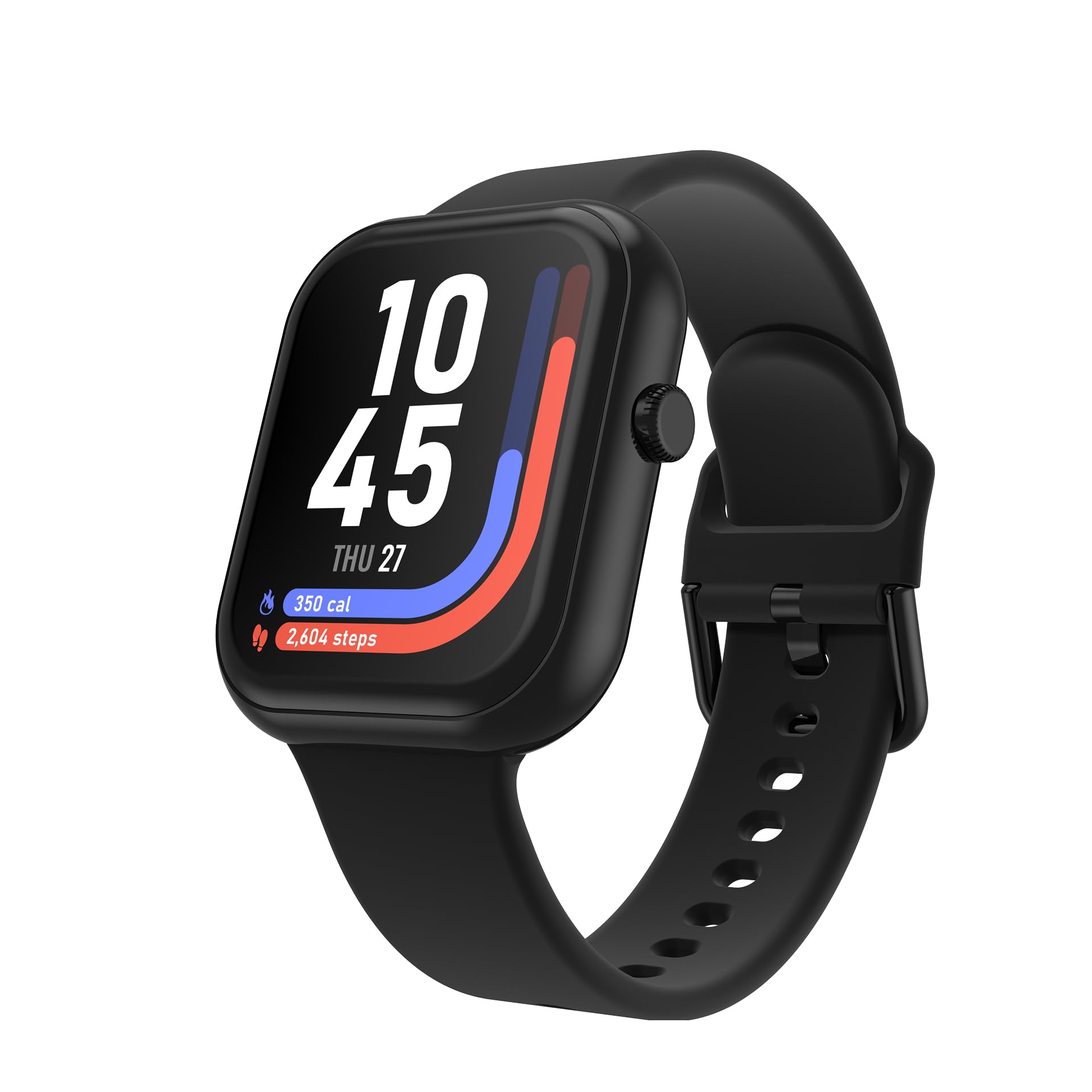
Image: The iTouch AIR 5 Smartwatch, its magnetic charging cable, and the included quick start guide.
3. Produkt Overview
The iTouch AIR 5 Smartwatch combines advanced technology with a user-friendly design to support your daily activities and wellness goals.
Key Features:
- 1.85" AMOLED Display: Large, ultra-clear screen with 390×450 resolution and 700 nits brightness for crisp visuals.
- Up to 7-Day Battery Life: Optimized power management for extended use.
- Bluetooth-oprop: Meitsje en ûntfange oproppen direkt fan jo pols.
- Wiidweidige sûnens tracking: 24/7 monitoring for heart rate, SpO₂, and stress levels.
- Avansearre sliepmonitoring: Tracks nap and nighttime sleep with personalized sleep scores.
- 100+ sportmodi: Track various workouts with connected GPS.
- IP68 Wetterbestindichheid: Suitable for sweat, splashes, and everyday adventures.
- Smartphone Sync & Notifications: Receive alerts and control music/camera.
- Customizable Watch Faces & Always-On Display: Personalize your device's appearance.

Image: The iTouch AIR 5 Smartwatch highlighting its 1.85-inch AMOLED full touchscreen display, 9.8mm thickness, 25.5g weight, and 22mm pin width. Also shows various colorways and band styles.
4. Opsette
4.1 Dyn smartwatch oplade
Before initial use, fully charge your iTouch AIR 5 Smartwatch. Connect the magnetic charging cable to the charging points on the back of the watch and plug the USB end into a power adapter (not included) or a computer's USB port. A full charge typically takes 1-2 hours.

Image: The iTouch AIR 5 Smartwatch being charged with its magnetic charging cable, illustrating the 7+ day battery life and the charging process.
4.2 Installing the iTOUCH Wearables App
To unlock all features and synchronize data, download the official iTOUCH Wearables app on your smartphone. The app is compatible with Android 9.0+ and iOS 13.0+.
- Scan the QR code provided in the Quick Start Guide or search for "iTOUCH Wearables" in the Apple App Store or Google Play Store.
- Install the app and create an account or log in.
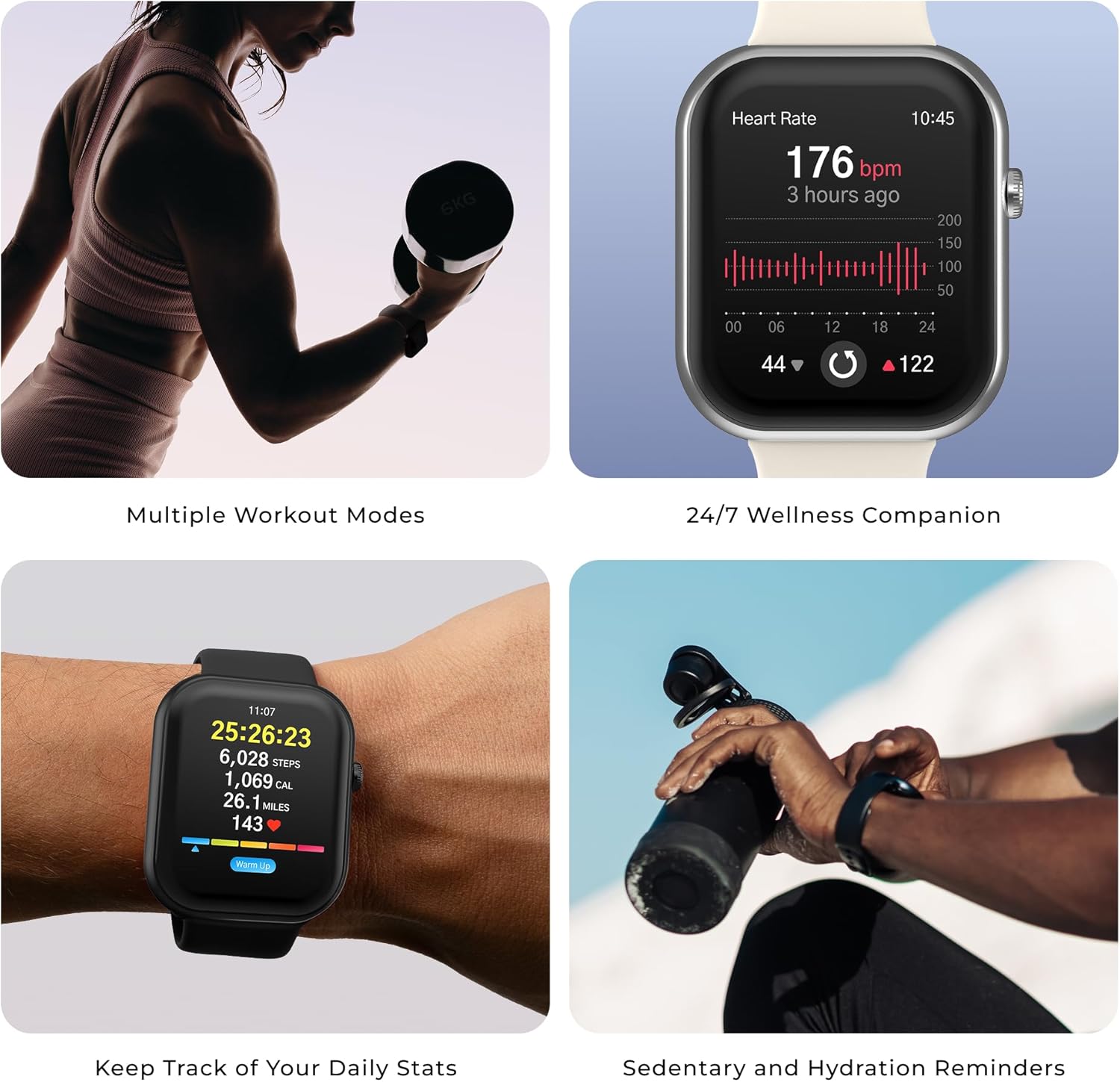
Image: A smartphone displaying the iTOUCH Wearables app download options for App Store and Google Play. A QR code for app compatibility is also shown. The relevant link is https://qr.xwatch.io/ecommitapp.
4.3 Dyn smartwatch keppelje
Ensure your smartphone's Bluetooth is enabled. Open the iTOUCH Wearables app and follow the on-screen instructions to pair your iTouch AIR 5. The app will guide you through the process of finding and connecting to your device.
5. Bedriuwsinstruksjes
5.1 Basisnavigaasje
- Swipe omheech / omleech: Tagong ta snelle ynstellings of notifikaasjes.
- Swipe lofts/rjochts: Navigate through widgets and main features.
- Tap: Selektearje in item of befêstigje in aksje.
- Druk op de sydknop: Gean werom nei it thússkerm of gean nei it app-menu.
5.2 Bluetooth Calling
Once paired, you can make and receive calls directly from your smartwatch. Ensure your watch is within Bluetooth range of your phone.
- In oprop meitsje: Access the phone icon on your watch, dial a number, or select from contacts synced via the app.
- In oprop ûntfange: When a call comes in, tap the green icon on your watch to answer or the red icon to decline.

Image: The iTouch AIR 5 Smartwatch showing an incoming call notification, demonstrating the Bluetooth calling feature.
5.3 Smart Notifikaasjes
Receive alerts for calls, texts, and app notifications directly on your wrist. Configure notification settings within the iTOUCH Wearables app.

Image: The iTouch AIR 5 Smartwatch displaying notifications from various applications like Instagram, WeChat, and Amazon, along with a reminder to get active.
5.4 Muzyk en kamerakontrôle
Control your smartphone's music playback and camera shutter remotely from your watch.
- Muzyk kontrôle: Open the music player on your watch to play, pause, skip tracks, and adjust volume.
- Kamera ôfstân: Use the camera remote feature in the app to trigger your phone's camera.
Video: This video demonstrates various features of the iTouch AIR 5 Smartwatch, including sleep tracking, starting a yoga workout, initiating a dog walk, taking photos remotely, and controlling music playback. It highlights the watch's integration into daily life for health, fitness, and convenience.
6. Sûnens- en fitnesstracking
6.1 Heart Rate, SpO₂, and Stress Tracking
The iTouch AIR 5 continuously monitors your heart rate, blood oxygen (SpO₂), and stress levels. View your data on the watch or in the app for detailed insights.
- For accurate readings, ensure the watch is snug on your wrist.
- Use guided breathing exercises for stress management.

Image: The iTouch AIR 5 Smartwatch displaying heart rate monitoring data, showing a graph of heart rate over time and current BPM.
6.2 Sliepmonitoaring
The smartwatch automatically tracks your sleep patterns, including naps and nighttime sleep. Review your sleep duration, consistency, and stages in the app to receive a personalized sleep score.

Image: The iTouch AIR 5 Smartwatch displaying sleep tracking data, showing sleep duration and sleep stages.
6.3 Sports Modes and Connected GPS
Choose from over 100 sports modes to track your workouts. For outdoor activities, connect to your phone's GPS to record distance, pace, and routes accurately.
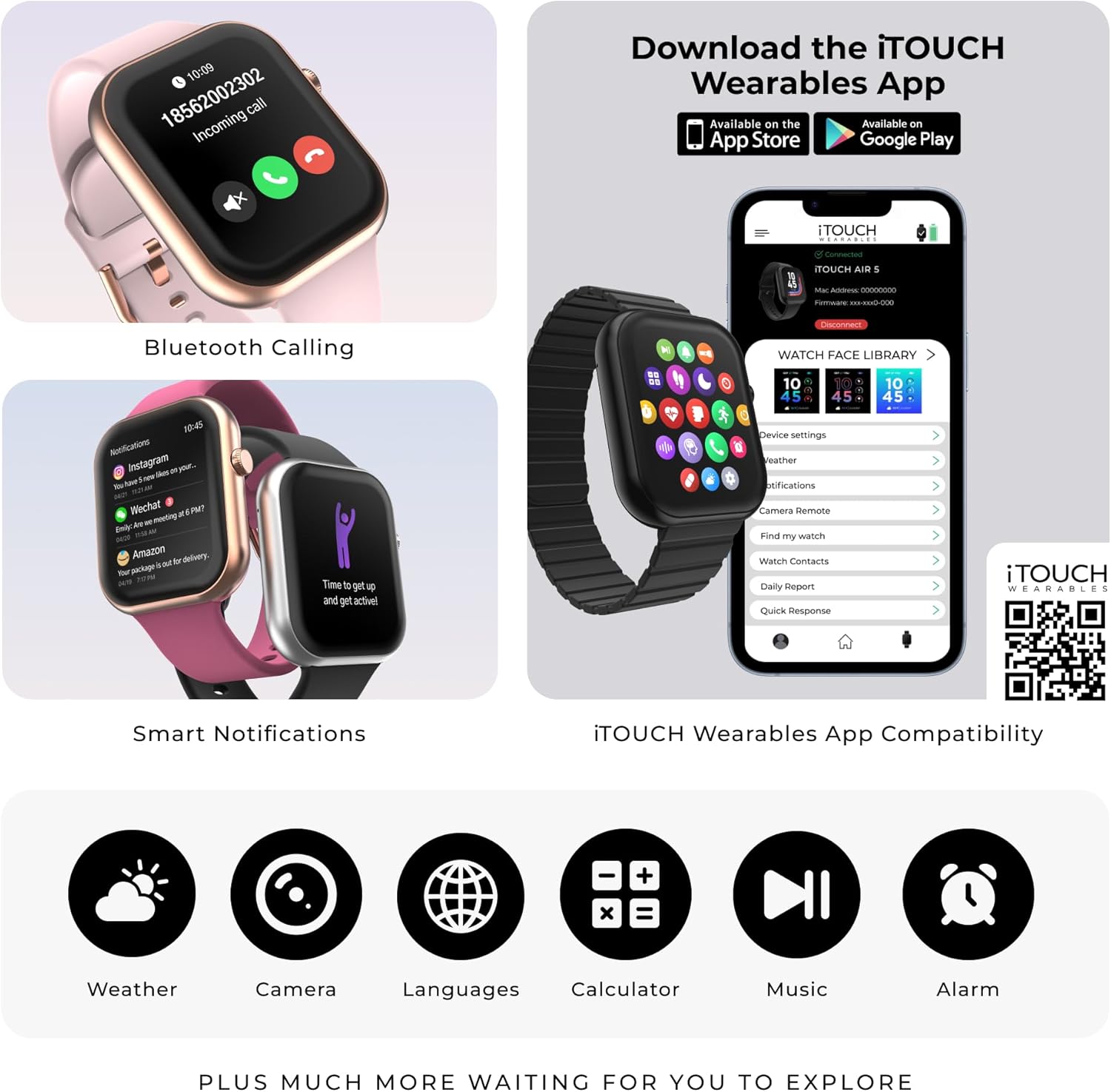
Image: The iTouch AIR 5 Smartwatch displaying a list of sports modes including walking, running, cycling, jump rope, and badminton. Icons for various activities like hiking, swimming, yoga, and weightlifting are also shown.
7. Underhâld
7.1 Dyn Smartwatch skjinmeitsje
Regularly clean your smartwatch to maintain its appearance and functionality. Use a soft, lint-free cloth to wipe the screen and casing. For the band, follow specific cleaning instructions based on its material (silicone, metal, etc.). Avoid harsh chemicals or abrasive materials.
7.2 Wetterbestindichheid (IP68)
The iTouch AIR 5 is IP68 water-resistant, meaning it is protected against dust and can withstand immersion in water up to 1.5 meters for up to 30 minutes. It is suitable for everyday use, such as washing hands, rain, and light splashes. It is not recommended for swimming, showering with hot water, or diving.

Image: The iTouch AIR 5 Smartwatch being splashed with water, illustrating its IP68 water resistance for sweat, splashes, and everyday use.
8. Probleemoplossing
| Probleem | Mooglike oplossing |
|---|---|
| Horloazje draait net oan | Soargje derfoar dat it horloazje folslein opladen is. Ferbine it teminsten 30 minuten mei de lader. |
| Kin net keppele wurde mei smartphone |
|
| Notifikaasjes ferskine net |
|
| Unkrekte sûnensgegevens |
|
| Koarte batterij libben |
|
9. Spesifikaasjes
| Eigenskip | Detail |
|---|---|
| Model Number | Loft 5 |
| Skerm | 1.85" AMOLED Full Touchscreen (390x450 resolution, 700 nits brightness) |
| Konnektivität | Bluetooth |
| Batterij Life | Up to 7 days (typical use), 4 days (heavy use), 14 days (battery saver mode) |
| Wetter Resistance | IP68 |
| Health Tracking | Heart Rate, SpO₂, Stress, Sleep Monitoring |
| Sport Modes | 100+ with Connected GPS |
| Bestjoeringssysteem | Proprietêr bestjoeringssysteem |
| App -kompatibiliteit | Android 9.0+ / iOS 13.0+ |
| Produkt Ofmjittings | 6.5 x 4.5 x 2 inch |
| Item Gewicht | 9.1 oz |
| Batterij Kapasiteit | 300 miljamp Oeren |
10. Garânsje en stipe
Foar garânsje-ynformaasje en klantestipe, sjoch de dokumintaasje dy't by jo produkt heart of besykje de offisjele iTouch Wearables. website. You can also contact their customer service for assistance with product issues, technical support, or warranty claims.
Fabrikant: ik reitsje oan
Offisjele winkel: iTOUCH Wearables Amazon Store


