
1. Ynlieding
Thank you for choosing the CORBOBO LEOBOG A98 Wireless Mechanical Gaming Keyboard. This keyboard is designed for versatility and performance, offering tri-mode connectivity, hot-swappable switches, vibrant RGB backlighting, and a durable gasket-mounted structure. This manual provides essential information for setting up, operating, and maintaining your keyboard.
2. Package Ynhâld
- LEOBOG A98 Wireless Mechanical Gaming Keyboard
- USB Kabel
- Keycap Puller
- User Manual
- Replacement Key Switches (2)
3. Opset en Konnektivität
3.1 Tri-Mode Multi-Device Connectivity
The LEOBOG A98 supports three connection modes: Bluetooth 5.0 (BT5.0), 2.4GHz wireless, and USB-C wired. You can pair up to 5 devices and switch between them instantly.
- Bluetooth-modus: Use the switch on the keyboard to select BT mode. Follow your device's instructions to pair with 'LEOBOG A98'.
- 2.4GHz Wireless Mode: Insert the USB receiver (located under the magnetic cover on the keyboard) into your device's USB port. Select 2.4GHz mode using the keyboard switch.
- USB-C Bedrade Modus: Connect the keyboard to your device using the provided USB-C cable. The keyboard will automatically switch to wired mode.

Image: The LEOBOG A98 keyboard demonstrating its tri-mode connectivity, allowing simultaneous use across multiple devices like a PC, tablet, and smartphone.
Video: Demonstrates the keyboard's versatile connection options, including compatibility with Mac, PC, and Android devices.
3.2 USB Receiver Storage
The 2.4GHz USB receiver is conveniently stored under a magnetic cover on the keyboard itself, ensuring it is always accessible and securely stored when not in use.
3.3 It toetseboerd opladen
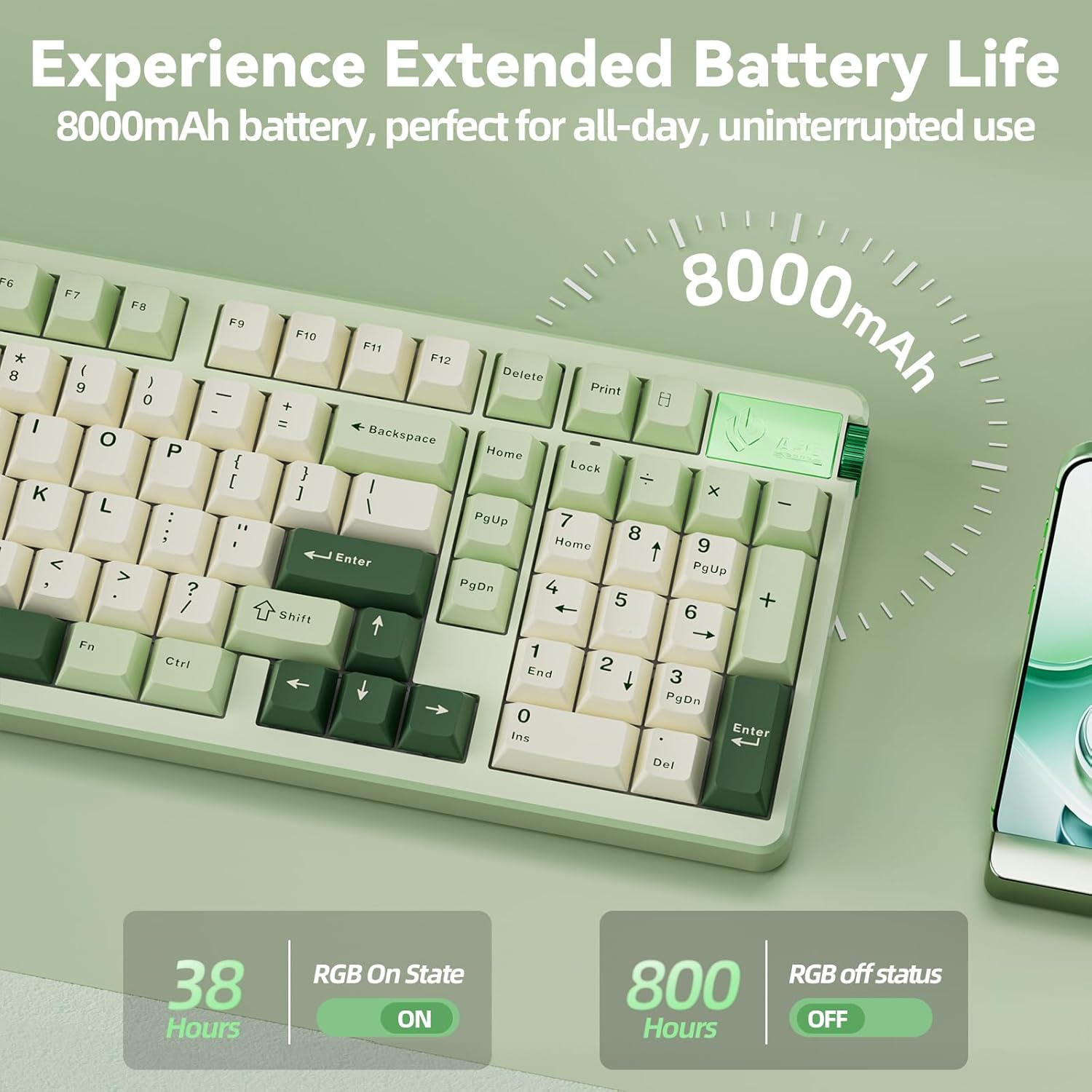
The keyboard is equipped with an 8000mAh battery. Connect the keyboard using the provided USB-C cable to a power source for charging. A full charge provides weeks of use.
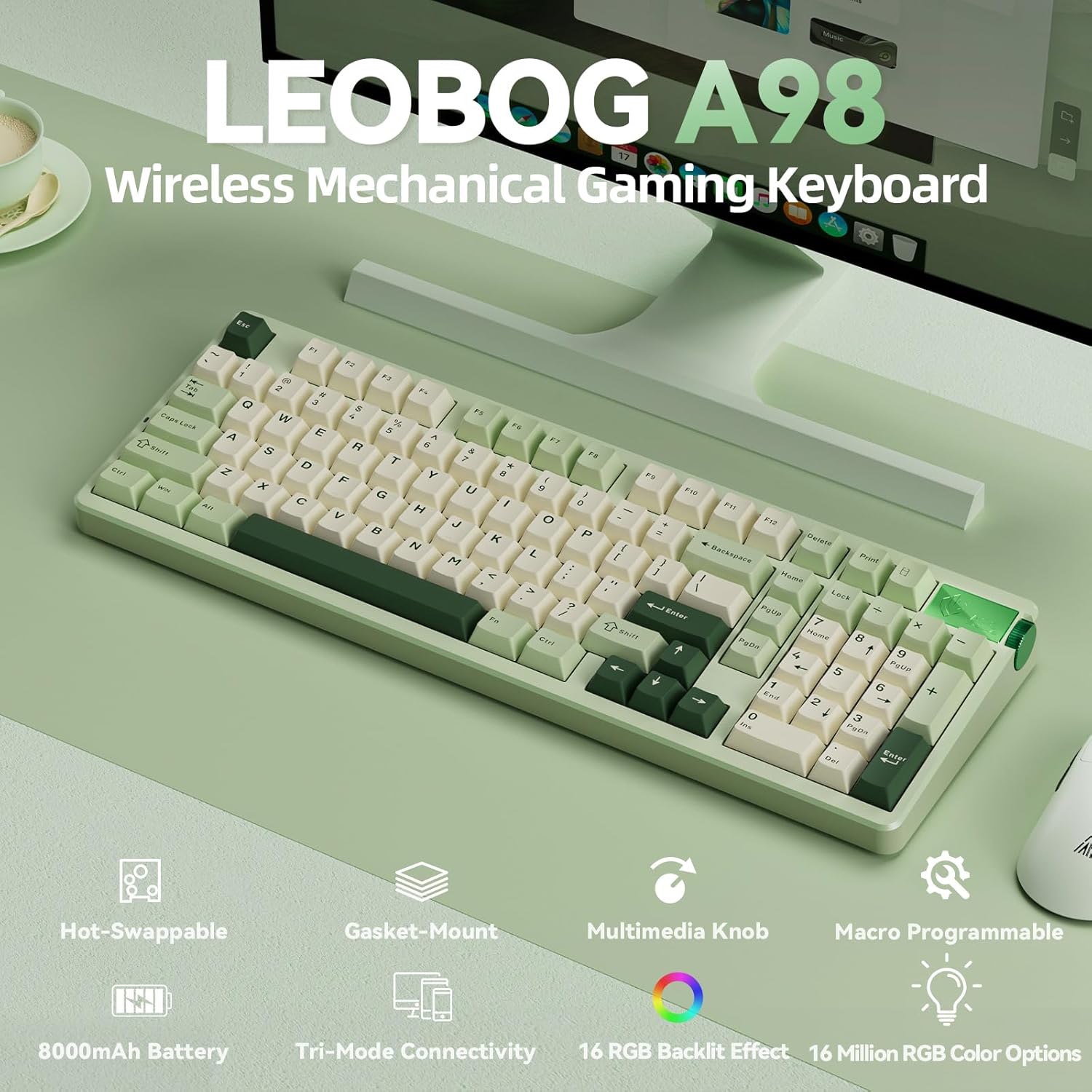
Image: Visual representation of the keyboard's extended battery life, indicating usage times with and without RGB backlighting.
4. Bedriuwsinstruksjes
4.1 Multifunction Knob
The intuitive knob on the keyboard allows for quick adjustments and mode switching:
- Druk en hâld foar 3 sekonden: Skeakelje tusken Gaming Mode en Office Mode.
- In Gaming Mode: Short press to cycle through 16 RGB lighting effects. Rotate up to increase RGB brightness, rotate down to decrease RGB brightness.
- In Office Mode: Short press to mute/unmute audio. Rotate up to increase volume, rotate down to decrease volume.
Ofbylding: In detaillearre view of the multifunction knob and its operational modes for gaming and office use.
4.2 RGB-efterljochting
The keyboard features 16 dynamic RGB lighting effects and 16.8 million color options. Use the following shortcut controls to customize the lighting:
- FN + \|: Cycle through 16 RGB effects.
- FN + Tab: Feroarje kleur.
- FN + Up/Down Arrow: Oanpasse helderheid.
- FN + Left/Right Arrow: Oanpasse snelheid.
Ofbylding: De toetseboerdshowasing its colorful RGB backlighting and the corresponding shortcut keys for control.
4.3 Makroprogrammearring
The LEOBOG A98 supports macro programming and N-key rollover for accurate keystroke registration. Driver software is available for download to customize keys, macros, and RGB effects. Note: Driver software is not compatible with macOS.
Driver download: bit.ly/m/corbobo

Image: The driver software interface for the LEOBOG A98, illustrating options for programmable keys, macros, and RGB synchronization.
Fideo: In oerview of the LEOBOG A98 Mechanical Keyboard, highlighting its wireless capabilities and number pad.
5. Underhâld
5.1 Hot-Swappable Mechanical Switches
The keyboard features a dedicated hot-swap PCB, allowing you to easily change 3-pin or 5-pin switches without soldering. This provides flexibility to customize your typing experience.

Image: The keyboard with several keycaps removed, illustrating the hot-swappable switch design for easy customization.
5.2 Dûbele-shot PBT-toetsekappen
The keyboard is equipped with double-shot PBT keycaps, which are known for their durability and resistance to shine and fading, ensuring the legends remain clear over time.
5.3 Gasket Mounted Structure
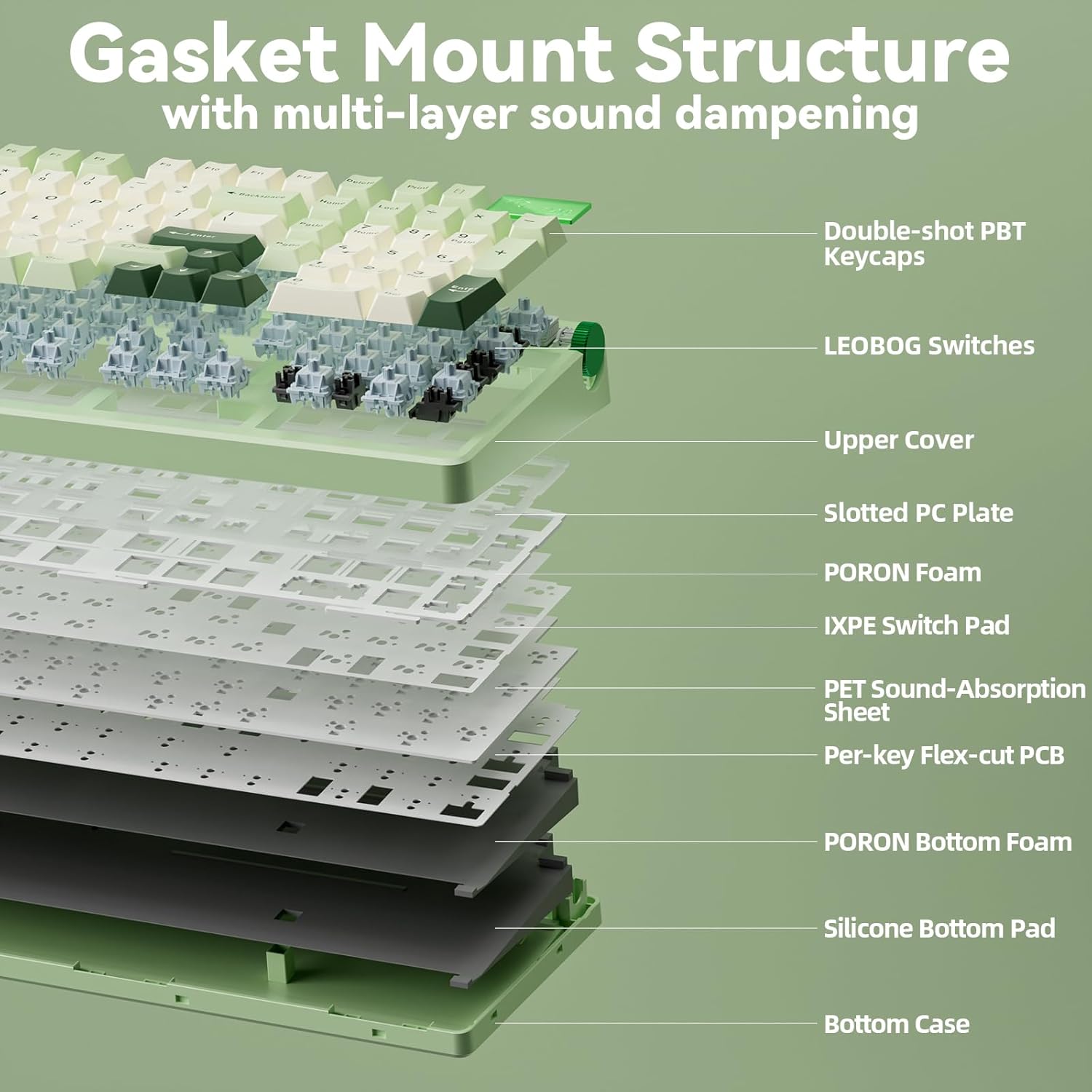
The gasket-mounted structure with five layers of internal sound damping provides a smooth, quiet, and satisfying typing experience. This design reduces hollow ringing and vibration, contributing to the keyboard's long-term durability and comfort.
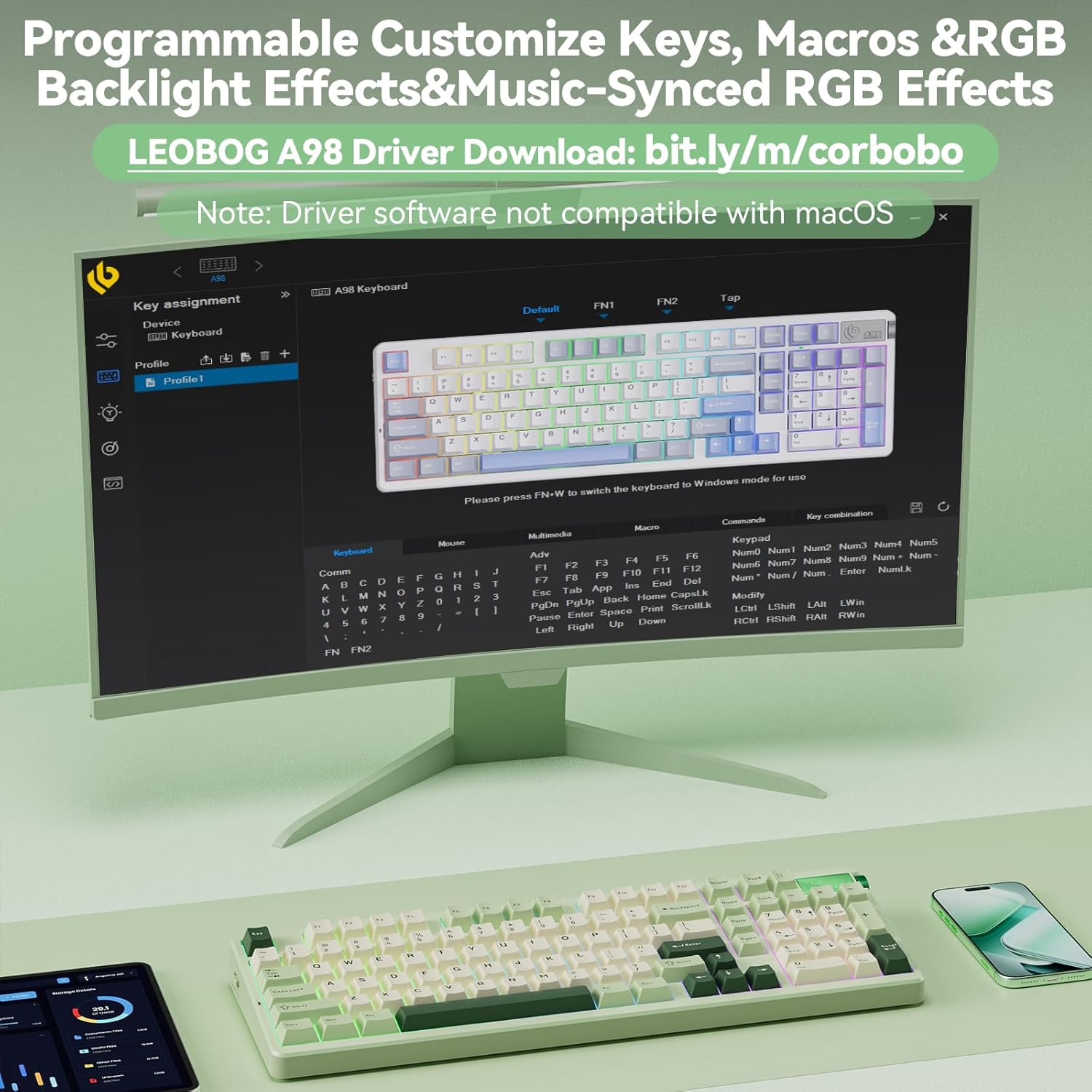
Image: An exploded diagram illustrating the multi-layer sound dampening and gasket mount structure of the LEOBOG A98 keyboard.
6. Spesifikaasjes
| Eigenskip | Detail |
|---|---|
| Model Number | LEOBOG A98 |
| Konnektivität Technology | 2.4G Wireless, Bluetooth, USB-C |
| Batterij Kapasiteit | 8000 mAh |
| Toetseboerd Backlighting | RGB (16 effects, 16.8 million colors) |
| Keycap Materiaal | Dûbele-shot PBT |
| Switch Type | Hot-Swappable (3-pin or 5-pin) |
| Struktuer | Gasket Mounted with 5-layer sound damping |
| Opmaak | 96% with Number Pad |
| Kompatibele apparaten | Spulkonsole, Laptop, PC, Smartphone, Tablet |
| Item Gewicht | 3.67 pyk |
| Package Ofmjittings | 20.91 x 7.36 x 2.44 inch |
7. Probleemoplossing
If you encounter any issues with your LEOBOG A98 keyboard, please try the following common troubleshooting steps:
- Konnektivitätproblemen: Ensure the keyboard is in the correct mode (BT, 2.4GHz, or Wired) for your device. Re-pair Bluetooth devices or re-insert the 2.4GHz USB receiver. Try a different USB port or cable for wired connection.
- Toetsen reagearje net: Check battery level. Ensure the keyboard is properly connected. If specific keys are not working, consider replacing the hot-swappable switch for that key.
- RGB Lighting Problems: Use the FN key combinations to cycle through effects, adjust brightness, or change colors. Ensure the keyboard is not in a mode that disables RGB.
- Problemen mei stjoerprogramma's: Ensure you have downloaded the correct driver for your operating system (Windows only). Reinstall the driver if necessary.
8. Garânsje en stipe
For warranty information, technical support, or further assistance, please contact CORBOBO customer service through the retailer where the product was purchased or visit the official CORBOBO webside. Bewarje jo oankeapbewiis as bewiis fan oankeap.