
Produkt oerview
The LEICKE DAB+ Radio Tube (Model EP19035) is a versatile portable audio device combining a DAB+/FM radio with a powerful Bluetooth speaker. It features a robust 4500 mAh battery for extended playtime, dynamic RGB LED lighting, and multiple connectivity options including Micro SD and AUX-In. This manual provides essential information for setup, operation, and maintenance.
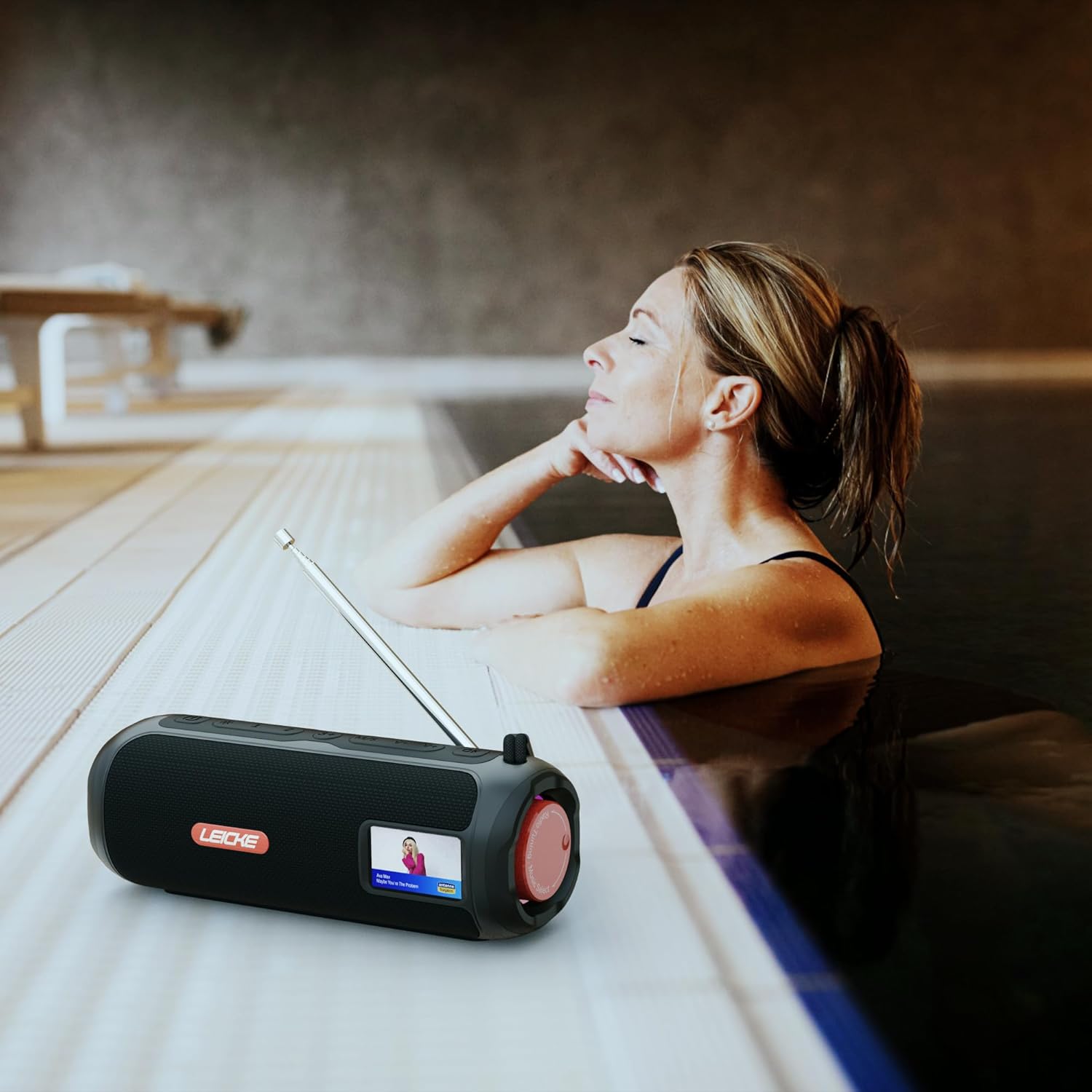
Image: The LEICKE DAB+ Radio Tube, showcasing its portable design, suitable for various environments like a poolside.
Key Features:
- Krêftich stereolûd: Two 5W speakers deliver rich, clear audio with dynamic effects and powerful bass.
- Ferlingde batterijlibben: Integrated 4500 mAh rechargeable battery provides up to 12 hours of playtime.
- DAB+ & FM Radio: Enjoy noise-free digital DAB+ and traditional FM radio with 30 station presets.
- Atmospheric RGB Lighting: Features cool color-changing LED lights for enhanced ambiance.
- Alsidige ferbining: Bluetooth 5.3 for wireless streaming, Micro SD card slot, and 3.5 mm AUX-In.
- Handige opladen: USB-C port for quick and easy charging.
- Oanfoljende funksjes: Includes an integrated alarm clock, sleep timer, and equalizer settings.
Pakketynhâld
Kontrolearje asjebleaft it pakket op de folgjende items:
- LEICKE DAB+ Radio Tube (Model EP19035)
- USB-C oplaadkabel
- Eigner hânboek
- (Note: Specific accessories like AUX cable may vary by region or package. Please refer to your product packaging.)
Kontrôles en Ferbinings
Familiarize yourself with the various buttons, ports, and indicators on your LEICKE DAB+ Radio Tube.

Ofbylding: Front view of the LEICKE DAB+ Radio Tube, highlighting the display, SD card slot, AUX input, and USB-C port.

Ofbylding: Efterkant view of the LEICKE DAB+ Radio Tube, showing the extendable antenna, AUX port, USB-C port, and Micro SD slot.
Portbeskriuwings:
- Micro SD slot: Insert a Micro SD card for playing stored audio files.
- AUX-yngong (3.5mm): Ferbine eksterne audio-apparaten mei in 3.5mm audiokabel.
- USB-C-poarte: Wurdt brûkt foar it opladen fan it apparaat.
- Antenne: Extend for optimal DAB+ and FM radio reception.
(Note: Specific button functions will be detailed in the 'Operating' section.)
Opsette
1. Earste opladen
- Laad it apparaat folslein op foar it earste gebrûk.
- Connect the provided USB-C cable to the USB-C port on the speaker and the other end to a compatible USB power adapter (not included) or a computer's USB port.
- The charging indicator on the display will show the charging status. Once fully charged, the indicator will change.
2. Oan- / útskeakelje
- Om oan te setten: Druk en hâld de oan/út-knop yndrukt (meastal markearre mei ⏻ or KRÊFT) for a few seconds until the display lights up.
- Om út te skeakeljen: Druk de oan/út-knop nochris in pear sekonden yn en hâld dy fêst oant it skerm útgiet.
Operating Instructions
Mode Seleksje
Druk op de WIZE button to cycle through available modes: DAB+ Radio, FM Radio, Bluetooth, Micro SD, and AUX-In.
1. DAB+ Radio Bediening
- Wreidzje de antenne folslein út foar bêste ûntfangst.
- Selektearje DAB+ modus mei de WIZE knop.
- The radio will automatically scan for available DAB+ stations on first use or if no stations are found.
- Brûk de PREV/Folgjende buttons to navigate through the list of available stations.
- Druk op de ENTER/PLAY knop om in stasjon te selektearjen.
- Presets opslaan: Wylst jo nei in stasjon harkje, hâld de knop yndrukt PRESET knop. Brûke PREV/Folgjende om in foarôf ynsteld nûmer (1-30) te selektearjen, druk dan op ENTER/PLAY te bewarjen.
- Presets weromhelje: Druk koart op de PRESET knop, brûk dan PREV/Folgjende to select a saved station and press ENTER/PLAY.
2. FM Radio Operaasje
- Wreidzje de antenne folslein út foar bêste ûntfangst.
- Selektearje FM-modus mei de WIZE knop.
- Auto Scan: Druk en hâld de PLAY / PAUZE knop om beskikbere FM-stasjons automatysk te scannen en op te slaan.
- Hânlieding tuning: Druk koart PREV/Folgjende om de frekwinsje fyn ôf te stimmen.
- Presets opslaan: Similar to DAB+ mode, press and hold PRESET to save, and briefly press to recall.
3. Bluetooth-keppeling
- Selektearje Bluetooth-modus mei de WIZE button. The display will show "Bluetooth" and an icon will flash, indicating it's in pairing mode.
- On your smartphone, tablet, or laptop, enable Bluetooth and search for new devices.
- Select "LEICKE DAB+ Tube" from the list of available devices.
- Sadree't it keppele is, sil de sprekker in befêstigingslûd útstjoere, en it Bluetooth-ikoantsje op it display sil ophâlde mei knipperjen.
- You can now play audio from your connected device through the speaker.
4. Micro SD Playback
- Insert a Micro SD card (with supported audio files) yn de Micro SD slot.
- Select Micro SD mode using the WIZE button. The device will automatically start playing music from the card.
- Gebrûk PLAY / PAUZE to control playback, and PREV/Folgjende om spoaren oer te slaan.
5. AUX-In Connection
- Connect one end of a 3.5mm audio cable (not included) to the AUX-In port on the speaker.
- Ferbine it oare ein mei de koptelefoanaansluiting of audio-útfier fan jo eksterne apparaat.
- Select AUX-In mode using the WIZE knop.
- Bestjoer it ôfspyljen en folume fan jo eksterne apparaat.
6. Volume Control
Use the dedicated Volume Up (+) en Folume omleech (-) buttons to adjust the audio level.
7. Equalizer ynstellings
Druk op de EQ button (if available) to cycle through preset equalizer modes such as Pop, Rock, Classic, Jazz, etc. There is no manual equalizer adjustment.
8. RGB LED-ljochten
The RGB LED lights will automatically activate when the device is powered on. There may be a dedicated button to change light modes or turn them off (refer to device specific button layout if available).
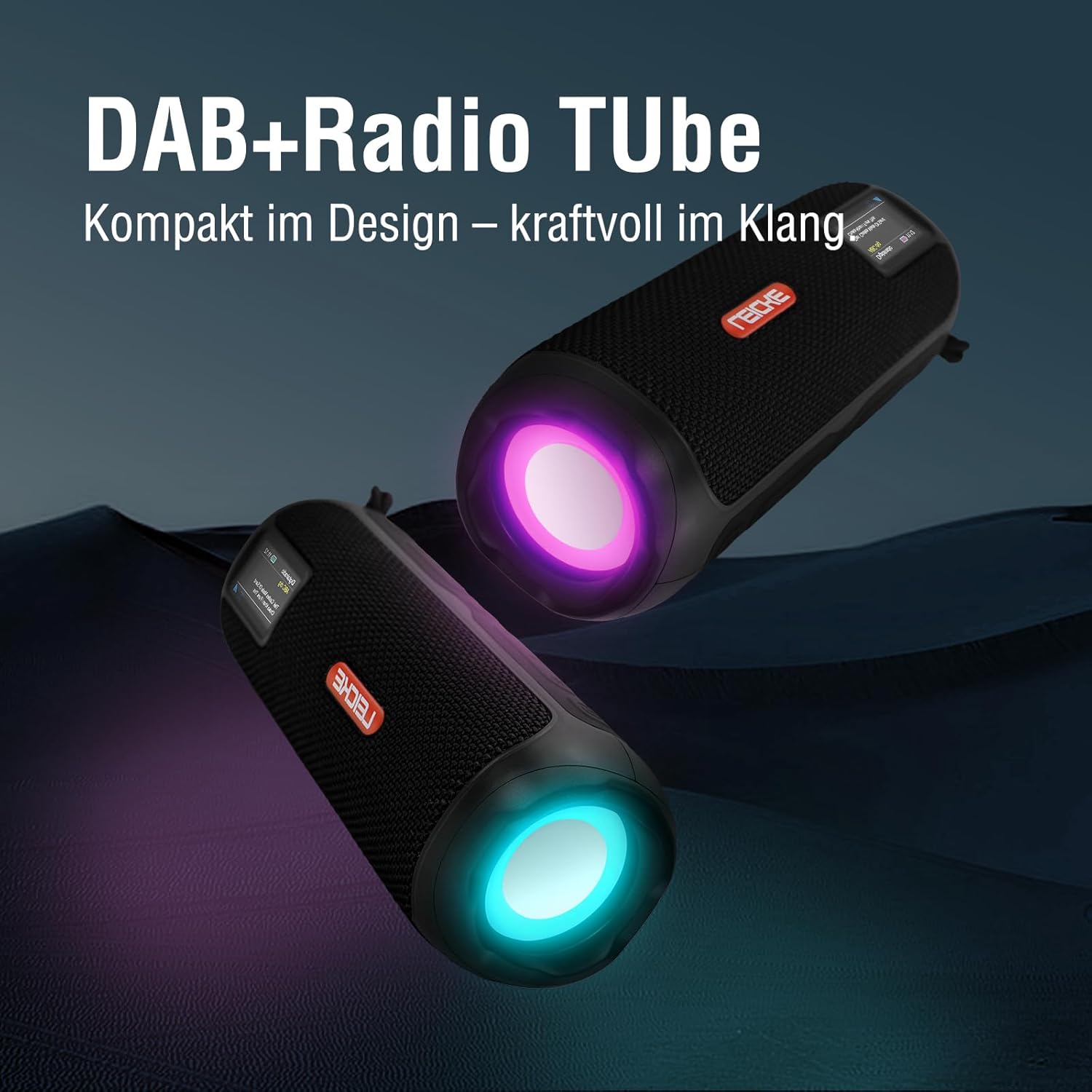
Image: Two LEICKE DAB+ Radio Tubes displaying their vibrant RGB LED lighting feature.
9. Wekker en slieptimer
Access the menu settings (usually by pressing a MENU or SET button) to configure the alarm clock and sleep timer functions. Follow the on-screen prompts to set times and preferences.
Ûnderhâld
Cleaning
- Soargje derfoar dat it apparaat útskeakele is en loskeppele is fan elke stroomboarne foardat jo it skjinmeitsje.
- Brûk in sêfte, droege, pluisfrije doek om de bûtenste oerflakken ôf te feegjen.
- Brûk gjin abrasive reinigingsmiddels, waaksen of oplosmiddels, om't se de finish beskeadigje kinne.
- Foarkom dat focht yn alle iepeningen komt.
Batterij Soarch
- Om de libbensdoer fan 'e batterij te ferlingjen, foarkom it faak folslein ûntladen fan 'e batterij.
- Laad it apparaat regelmjittich op, sels as it net yn gebrûk is, om de batterijstatus te behâlden.
- Bewarje it apparaat op in koel, droech plak as it foar langere perioaden net brûkt wurdt.
Opslach
- When storing the device for a long time, ensure it is charged to about 50-70% to prevent deep discharge.
- Hâld it apparaat fuort fan ekstreme temperatueren, direkt sinneljocht en hege fochtigens.
Troubleshooting
| Probleem | Mooglike oarsaak | Oplossing |
|---|---|---|
| Apparaat giet net oan. | Leech batterijlibben; Oan/út-knop net goed yndrukt. | Charge the device fully. Press and hold the Power button for a few seconds. |
| Gjin lûd. | Volume too low; Incorrect mode selected; Device not paired (Bluetooth). | Increase volume. Ensure correct mode (DAB+, FM, BT, SD, AUX) is selected. Re-pair Bluetooth device. |
| Min radio-ûntfangst. | Antenne net útlutsen; Swak sinjaalgebiet. | Fully extend the antenna. Try moving the device to a different location. |
| Bluetooth-apparaat wol net keppele. | Speaker not in pairing mode; Device too far; Already connected to another device. | Ensure speaker is in Bluetooth pairing mode. Move devices closer. Disconnect from other devices. |
| Micro SD-kaart net herkend. | Card inserted incorrectly; Unsupported file format; Corrupted card. | Reinsert the card correctly. Ensure files are in a supported format. Try a different Micro SD card. |
Spesifikaasjes
| Eigenskip | Detail |
|---|---|
| Merk | LEICKE |
| Model Number | EP19035 |
| Tuner Technology | DAB Plus, FM |
| Konnektivität | Bluetooth 5.3, Micro SD, 3.5mm AUX-In, USB-C (charging) |
| Audio útfier | 10W Stereo Sound (2 x 5W speakers) |
| Batterij Kapasiteit | 4500 mAh Lithium Ion |
| Playtime | Oant 12 oeren (ferfarret mei gebrûk) |
| Special Features | RGB LED Lights, Equalizer, Alarm Clock, Sleep Timer, 30 DAB+/FM Presets |
| Power Boarne | Battery Operated, Wired (USB-C) |
| Produkt Ofmjittings | 3.2 x 3.2 x 12 sm; 660 g |
Warranty Information
LEICKE products are designed and manufactured to the highest quality standards. This product is covered by a standard manufacturer's warranty. Please refer to the warranty card included in your package or visit the official LEICKE webside foar detaillearre garânsjebetingsten en -kondysjes spesifyk foar jo regio.
Bewarje jo oankeapbewiis as bewiis fan oankeap foar alle garânsjeclaims.
Klant Support
If you encounter any issues or have questions regarding your LEICKE DAB+ Radio Tube that are not covered in this manual, please contact LEICKE customer support.
- Online stipe: Visit the official LEICKE webside foar FAQ's, stipeboarnen en kontaktformulieren.
- E-post stipe: Refer to your product packaging or the LEICKE webside foar it juste stipe-e-mailadres.
Please have your product model number (EP19035) and purchase details ready when contacting support.