
1. Ynlieding
This manual provides detailed instructions for the safe and efficient operation of your TOOLTOP TT-Yihua-8858-I Portable Hot Air Station. This device is designed for various electronic repair tasks, including PCB SMD repair and BGA rework, offering precise temperature and airflow control. Please read this manual thoroughly before using the product and retain it for future reference.
2. Safety Ynstruksjes
Nim altyd de folgjende feilichheidsmaatregels yn acht om ferwûnings of skea oan it apparaat te foarkommen:
- Hazard foar hege temperatuer: The hot air nozzle and emitted air reach very high temperatures. Avoid direct contact with skin or flammable materials.
- Ventilaasje: Use the hot air station in a well-ventilated area to disperse fumes generated during soldering or desoldering.
- Streamtafier: Soargje derfoar dat de macht oanbod voltage matches the specifications of the device. Do not use if the power cord is damaged.
- Bern en net-autorisearre brûkers: Keep the device out of reach of children and individuals not trained in its use.
- Cool Down: Lit it apparaat folslein ôfkuolje foardat jo it opslaan.
- Ûnderhâld: Besykje it apparaat net sels te reparearjen. Lit alle ûnderhâldswurk oer oan kwalifisearre personiel.
- Goed gebrûk: Brûk it apparaat allinich foar it bedoelde doel.
3. Package Ynhâld
Kontrolearje oft alle hjirûnder neamde items yn jo pakket oanwêzich binne:
- TOOLTOP TT-Yihua-8858-I Portable Hot Air Station (Main Unit)
- Hot Air Nozzles (Various sizes)
- Power Cord
- Brûkershânlieding (dit dokumint)

Image 3.1: The TOOLTOP TT-Yihua-8858-I Portable Hot Air Station shown with three included nozzles.
4. Produkt Overview
Familiarize yourself with the components and controls of your hot air station.
4.1 Haadkomponinten
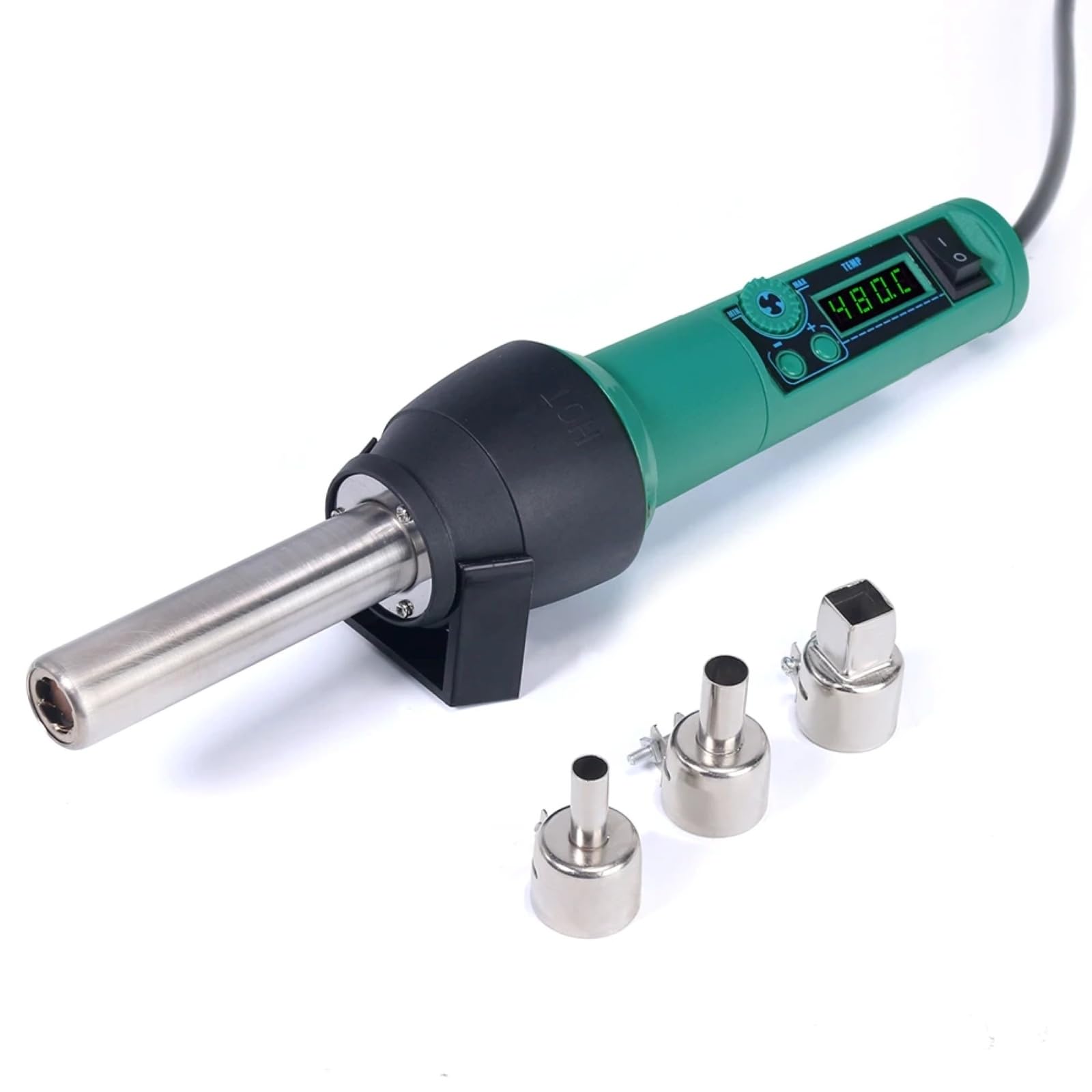
Image 4.1: The main unit of the hot air station, displaying the digital temperature display and control buttons.
4.2 Airflow System
The hot air station features a spiral wind airflow design for efficient and even heat distribution.

Image 4.2: Detail of the nozzle interior, illustrating the spiral wind air flow mechanism.
4.3 Air Inlet
The air inlet is located at the rear of the unit, ensuring proper air circulation for heating.

Image 4.3: The air inlet grille, essential for the device's cooling and heating functions.
4.4 Kontrôles
The device features intuitive controls for adjusting air volume and temperature.

Image 4.4: The control panel showing buttons for adjusting air volume (MIN/MAX) and temperature (up/down arrows).
4.5 Hot Air Gun Holder
A dismountable holder is provided for safe placement of the hot air gun when not in use or during cool-down.
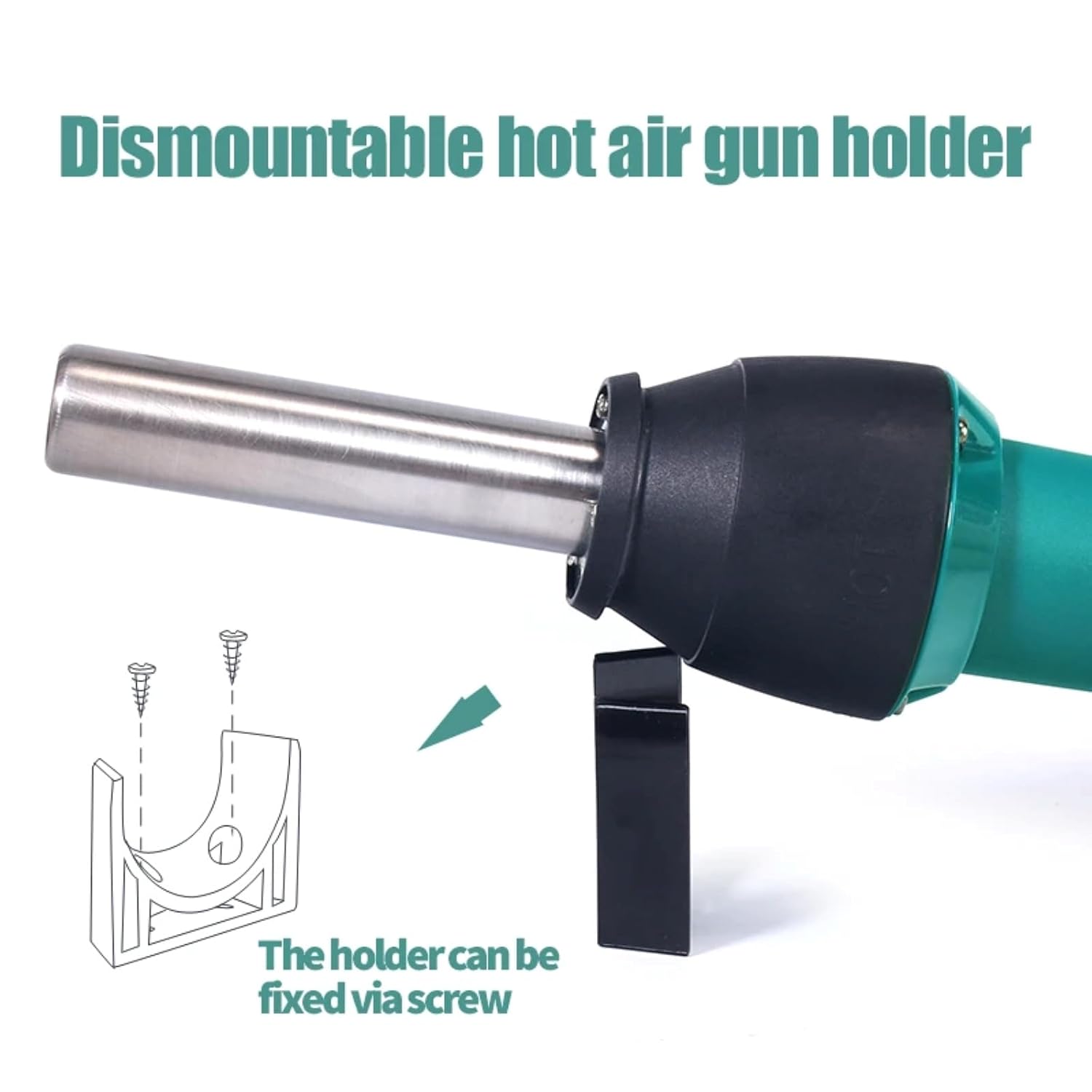
Image 4.5: The hot air gun holder, which can be fixed via screw for stability.
5. Opsette
- Utpakke: Ferwiderje alle komponinten foarsichtich út 'e ferpakking.
- Ynspektearje: Check the device and accessories for any signs of damage. Do not use if damaged.
- Pleatsing: Place the hot air station on a stable, heat-resistant surface in a well-ventilated area. Ensure there is sufficient space around the air inlet and outlet for proper airflow.
- Nozzle oanmeitsje: Selektearje de juste nozzle foar jo taak en befestigje it feilich oan it hjitteluchtpistoal.
- Ferbine macht: Plug the power cord into the hot air station and then into a suitable power outlet.
- Install Holder (Optional): If desired, attach the dismountable hot air gun holder to a workbench using screws for convenient and safe storage during operation.
6. Bedriuwsinstruksjes
- Power On: Flip the power switch to the "ON" position. The LED digital display will illuminate, showing the current temperature.
- Temperatuer oanpasse: Use the temperature adjustment buttons (up/down arrows) to set the desired temperature. The adjustable range is typically 100°C to 480°C. The display will show the set temperature and then the actual temperature as it heats up.
- Loftvolume oanpasse: Use the air volume adjustment buttons (MIN/MAX) to set the desired airflow. Start with a lower setting and increase as needed for your application.
- Foarferwaarming: Allow the unit to reach the set temperature before beginning work. This usually takes a few seconds.
- Operaasje: Direct the hot air nozzle towards the component or area you wish to work on. Maintain a safe distance to avoid overheating or damaging surrounding components.
- Cool Down: After use, place the hot air gun back into its holder. The unit will automatically enter a cool-down mode, blowing cool air until the temperature drops to a safe level. Do not switch off the power until the cool-down cycle is complete, as this protects the heating element.
- Útskeakelje: Once the unit has cooled down and the display indicates a safe temperature, you can switch off the power.
7. Underhâld
Regular maintenance ensures the longevity and optimal performance of your hot air station.
- Reiniging: Ensure the device is unplugged and completely cool before cleaning. Wipe the exterior with a soft, damp doek. Brûk gjin abrasive skjinmakkers of solvents.
- Luchtyn/útfier: Periodically check the air inlet and nozzle for any obstructions (dust, debris). Clean gently with a soft brush if necessary to maintain proper airflow.
- Nozzles: Clean the nozzles regularly to prevent solder or flux buildup, which can affect airflow and heat distribution.
- Opslach: Store the hot air station in a dry, dust-free environment when not in use.
8. Probleemoplossing
If you encounter issues with your hot air station, refer to the table below for common problems and solutions.
| Probleem | Mooglike oarsaak | Oplossing |
|---|---|---|
| Apparaat giet net oan. | No power supply; power cord damaged; power switch off. | Check power connection; inspect power cord; ensure power switch is ON. |
| No hot air or insufficient heat. | Heating element failure; air inlet/outlet blocked; incorrect temperature setting. | Contact customer support; clean air inlets/outlets; verify temperature setting. |
| De luchtstream is swak of ynkonsekwint. | Air volume set too low; fan malfunction; air path obstruction. | Increase air volume setting; clean air inlets/outlets; contact customer support. |
| Fout yn temperatuerwerjefte. | Sensor malfunction. | Power cycle the device; if error persists, contact customer support. |
As it probleem oanhâldt nei it besykjen fan dizze oplossingen, nim dan kontakt op mei klanttsjinst.
9. Spesifikaasjes
| Model Number | TT-Yihua-8858-I |
| Merk | TOOL TOP |
| Stromferbrûk | 700W |
| Temperatuerberik | 100°C - 480°C (212°F - 896°F) |
| Display Type | LED Digital Display |
| Loftstreamtype | Spiral Wind |
| Ynbegrepen komponinten | Hot Air Station, Nozzles, Power Cord |
10. Garânsje en stipe
The TOOLTOP TT-Yihua-8858-I Portable Hot Air Station comes with a 1 jier fabryksgarânsje út de datum fan oankeap. Dizze garânsje dekt defekten yn materialen en fakmanskip ûnder normaal gebrûk.
For warranty claims, technical support, or any inquiries regarding your product, please contact TOOLTOP customer service through your retailer or the official TOOLTOP webside. Hâld jo modelnûmer en oankeapdatum by de hân as jo kontakt opnimme mei stipe.