
1. Ynlieding
The ASHATA Hands-Free USB Wired 1D/2D Barcode Scanner is a high-performance desktop scanning platform designed for efficient and accurate barcode reading. It features advanced decoding technology, soft LED illumination, and multiple feedback methods for an enhanced user experience. Its robust design ensures durability in various environments.
This scanner is capable of reading both 1D and 2D/QR barcodes from labels, paper, and digital displays, including damaged or distorted codes. Its omnidirectional design allows for hands-free operation, making it ideal for supermarkets, retail stores, warehouses, and POS systems.
2. Package Ynhâld
- 1 x ASHATA Barcode Scanning Platform
- 1 x User Manual
3. Opsette
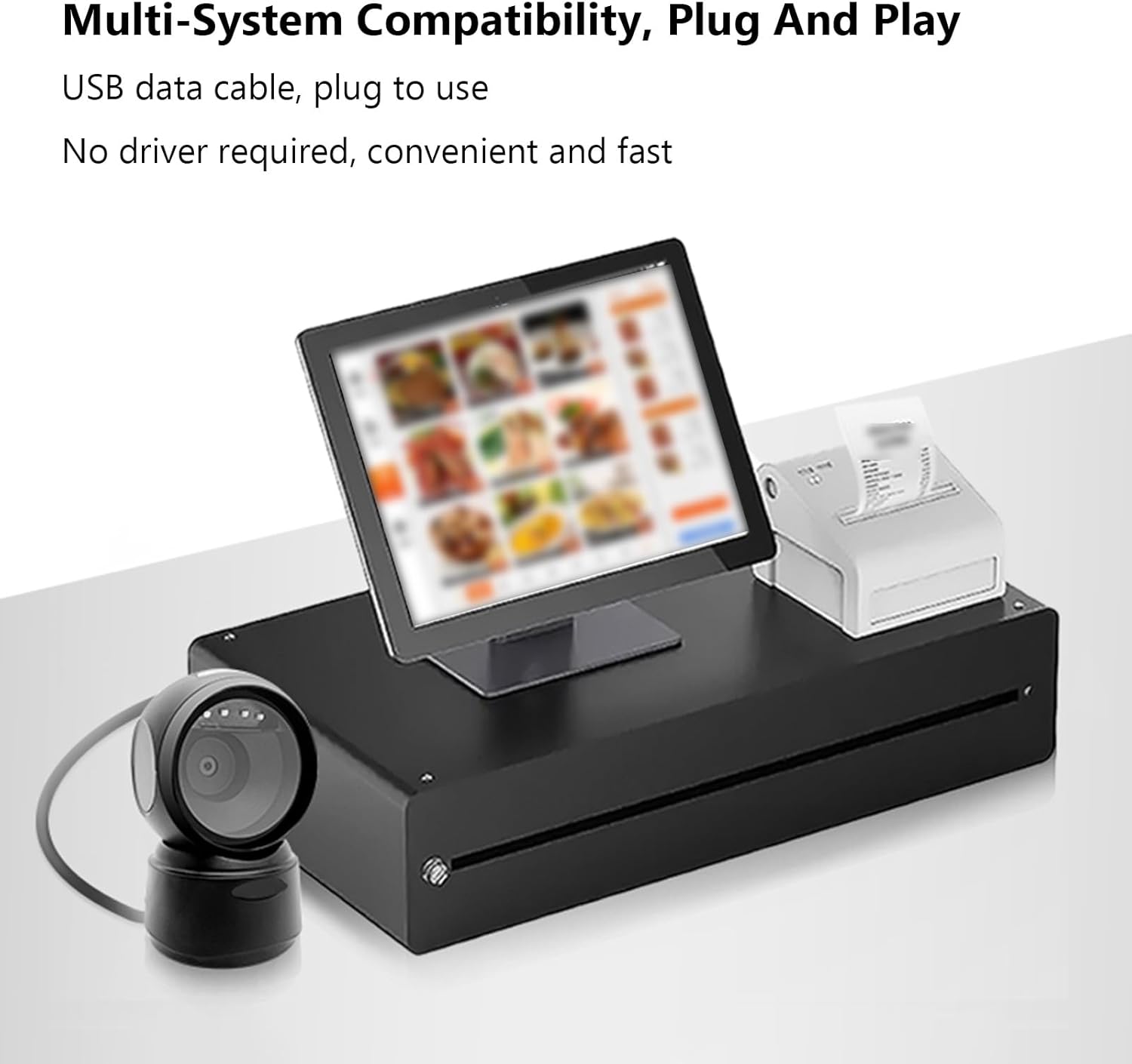
The ASHATA Barcode Scanner is designed for simple plug-and-play operation, requiring no additional driver installation.
- Pak de scanner út: Carefully remove the barcode scanning platform and user manual from the packaging.
- Ferbine mei apparaat: Insert the USB data cable from the barcode scanner into an available USB port on your computer or POS system.
- Systeemherkenning: It bestjoeringssysteem sil automatysk de nedige stjoerprogramma's detektearje en ynstallearje. Dit proses kin in pear mominten duorje.
- Pleatsing: Place the scanner on a stable, flat surface. The anti-slip base ensures stability during operation.
4. Bedriuwsinstruksjes
The scanner offers hands-free, omnidirectional scanning for various barcode types.
4.1 Barcodes scannen
Simply present the barcode to the scanner's window. The scanner will automatically detect and decode the barcode. A buzzer sound and LED indicator lights will provide feedback upon successful scanning.

4.2 Intelligent Sensing
The scanner features an intelligent sensing mode:
- Automatyske sliepmodus: Upon inactivity, the scanner enters an automatic sleep mode to conserve power.
- Smart wekker: The scanner automatically wakes up and becomes active when a barcode is presented for scanning.

4.3 Tapasselike senario's
This scanner is suitable for a wide range of applications, including:
- Supermerken
- Winkelcentra
- Cosmetic Stores
- Retail Industry
- Banken
- Warehouses
- Bookstores
- POS Systems

5. Underhâld
To ensure optimal performance and longevity of your ASHATA Barcode Scanner, follow these maintenance guidelines:
- Reiniging: Gently wipe the scanner's window and exterior with a soft, dry, lint-free cloth. Avoid using abrasive cleaners, solvents, or excessive moisture, as these can damage the device.
- Behanneling: Although the scanner has a sturdy ABS structure and is IP42 rated, capable of withstanding drops from heights up to 1.5 meters, handle it with care to prevent unnecessary impact.
- Opslach: Bewarje de scanner op in koel, droech plak, fuort fan direkt sinneljocht en ekstreme temperatueren as er net yn gebrûk is.
- Kabelsoarch: Foarkom it te folle bûgen of draaien fan 'e USB-kabel om ynterne skea te foarkommen.
6. Probleemoplossing
If you encounter issues with your ASHATA Barcode Scanner, please refer to the following common troubleshooting steps:
- Scanner reagearret net:
- Soargje derfoar dat de USB-kabel feilich ferbûn is mei sawol de scanner as it hostapparaat.
- Try connecting the scanner to a different USB port on your device.
- Restart your computer or POS system.
- Unable to Read Barcodes:
- Ensure the barcode is clean, undamaged, and clearly visible.
- Verify that the barcode is within the scanner's reading depth of field.
- Check if the scanner's window is clean and free from obstructions.
- Confirm that the barcode type is supported by the scanner (refer to Specifications).
- No Feedback (Buzzer/LED):
- If the scanner is in sleep mode, present a barcode to wake it up.
- Ensure the scanner is properly connected and powered.
As dizze stappen it probleem net oplosse, nim dan kontakt op mei klanttsjinst foar fierdere assistinsje.
7. Spesifikaasjes
| Item Type | 1D/2D Barcode Scanner Platform |
| Ljocht boarne Type | 625nm LED Supplementary Light |
| Scanprinsipe | Ofbylding CMOS |
| Triggermodus | Induction Mode / Continuous Mode / Instruction Mode |
| Scanhoeke | Tilt Angle 65°, Rotate Angle 360°, Skew Angle 75° |
| Scanning Accuracy | > 4.5mil |
| Reading Depth of Field | 5mil (Code39): 2cm-13cm UPC-13mil: 2cm-28cm 20mil (Code39): 2cm-35cm 20mil QR Code: 2cm-24cm |
| Kabel Lengte | 1.5m / 4.92ft |
| Produkt Grutte | 13.6 x 8.3 x 8 sm / 5.35 x 3.27 x 3.15 yn |
| Produkt Gewicht | 224g / 7.9oz |
| Konnektivität | USB, RS232 |
| Duorsumens | IP42 rated, withstands drops up to 1.5 meters |
| Supported Decoding Capabilities | QRCode, PDF417, MaxiCode, Aztec, DataMatrix(ECC200), Micro QR, Hanxin Code, Micro PDF417, EAN13, EAN8, UPC-A, UPC-E, Code128, Code39, Code93, CodaBar, Interleaved 2 of 5, Industrial 25, Codel1MSIPlessey, Standard 2 of 5, Plessey, ChinaPost 25, etc. |
8. Garânsje en stipe
For warranty information or technical support, please refer to the documentation included with your purchase or contact ASHATA customer service through your retailer. Keep your purchase receipt for warranty claims.