
Ynlieding
The Roku Hiro 32-inch 720p HD Smart TV offers an integrated Roku streaming experience. This television features an HD display for clear picture quality and speakers with enhanced audio. It supports Bluetooth for private listening with headphones and includes Wi-Fi for internet connectivity. The Roku operating system provides a customizable home screen, access to numerous streaming channels, and automatic updates, making it suitable for various living spaces.
Wat is yn 'e doaze
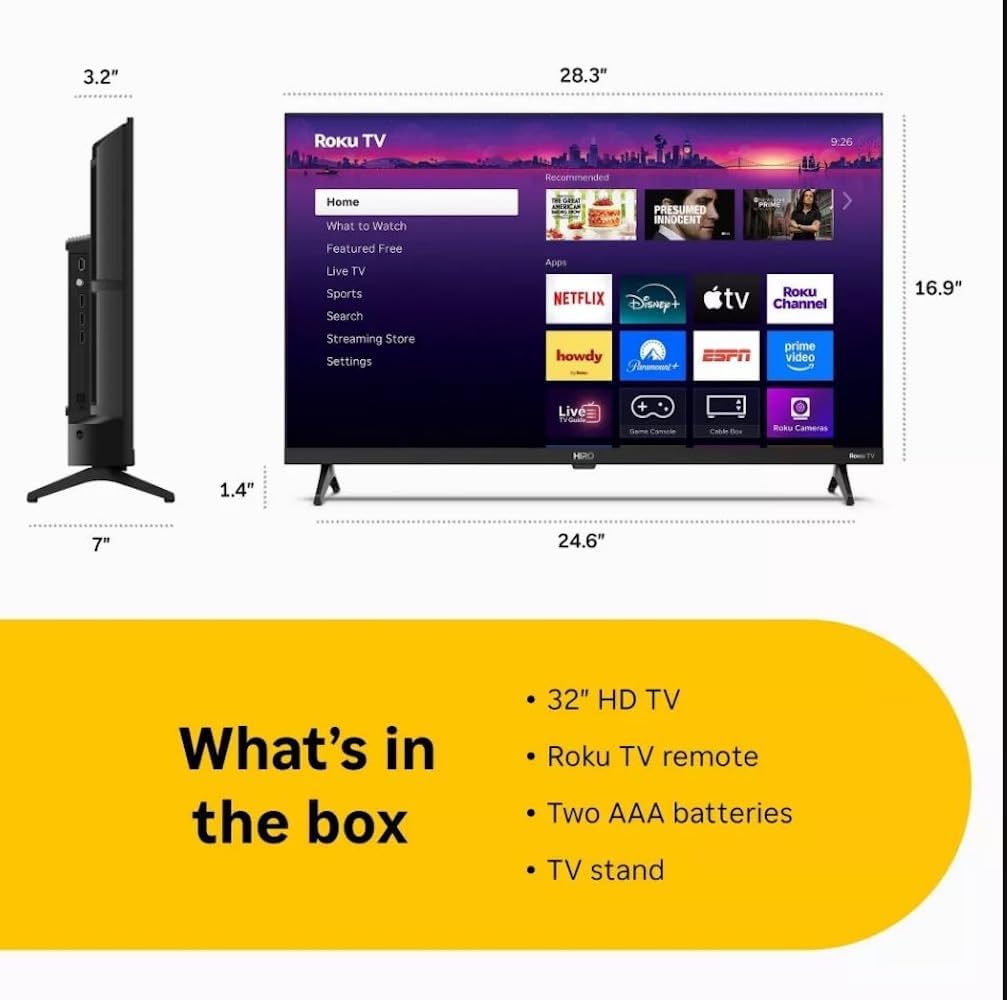
Diagram showing the dimensions of the Roku Hiro 32-inch TV and a list of included accessories: 32-inch HD TV, Roku TV remote, two AAA batteries, and TV stand.
- Hiro 32" 720p HD Smart TV Flat Screen LED Television with Roku TV
- Remote Control
- TV Stand
- Power Kabel
- Brûkersgids
Opsette
1. Stand Ynstallaasje
Carefully place the TV screen-down on a soft, clean surface to prevent damage. Align the TV stand with the designated slots on the bottom of the TV. Secure the stand using the provided screws. Ensure the stand is firmly attached before proceeding.
2. Ferbinende apparaten

Rear view of the Roku Hiro TV, showing the input/output ports including USB, HDMI, and antenna connections.
- Krêft: Ferbine de stroomkabel mei de stroomynfier fan 'e tv en dan mei in stopkontakt.
- HDMI: Connect external devices such as Blu-ray players, game consoles, or cable boxes to the HDMI ports. This TV features 3 HDMI ports.
- USB: Use the USB port for media playback from a USB drive.
- Optyske audio: Connect an external sound system using an optical audio cable for enhanced sound.
- Antenne/kabel: Connect an antenna or cable TV feed to the RF input for over-the-air or cable channels.
3. Initial Setup
After connecting all necessary cables, power on the TV. Follow the on-screen instructions to:
- Selektearje jo taal.
- Ferbine mei jo Wi-Fi netwurk.
- Aktivearje jo Roku-akkount (of meitsje in nij oan).
- Scan for available channels if an antenna is connected.
Operating Instructions
Funksjes op ôfstân kontrôle

Close-up of the Roku TV remote control, highlighting buttons for TV power, volume, mute, sleep timer, instant replay, options, and app shortcuts.
- Power knop: Skeakelt de TV oan of út.
- Rjochtingspad (D-Pad): Navigearret troch menu's en selektearret items.
- OK knop: Befêstiget seleksjes.
- Thús knop: Giet werom nei it Roku-thússkerm.
- Weromknop: Gean werom nei it foarige skerm.
- Volume omheech / omleech: Past de TV folume.
- Mute knop: Dempet of ûntdempet it lûd fan 'e tv.
- App-fluchtoetsen: Direct access to popular streaming services (e.g., Netflix, Disney+, Apple TV+, Prime Video).
- Slieptimer: Sets a timer for the TV to turn off automatically.
- Instant Replay: Jumps back a few seconds in supported content.
- Opsjes: Accesses additional settings or information for the current content.
Navigating the Roku OS

The Roku TV home screen interface, showing recommended content and various streaming applications.
The Roku home screen provides access to all your streaming channels, inputs, and settings. Use the D-Pad on your remote to navigate through the menu options on the left and the app grid on the right. You can customize the order of your channels by highlighting an app, pressing the * (Options) button, and selecting 'Move channel'.
Streaming ynhâld
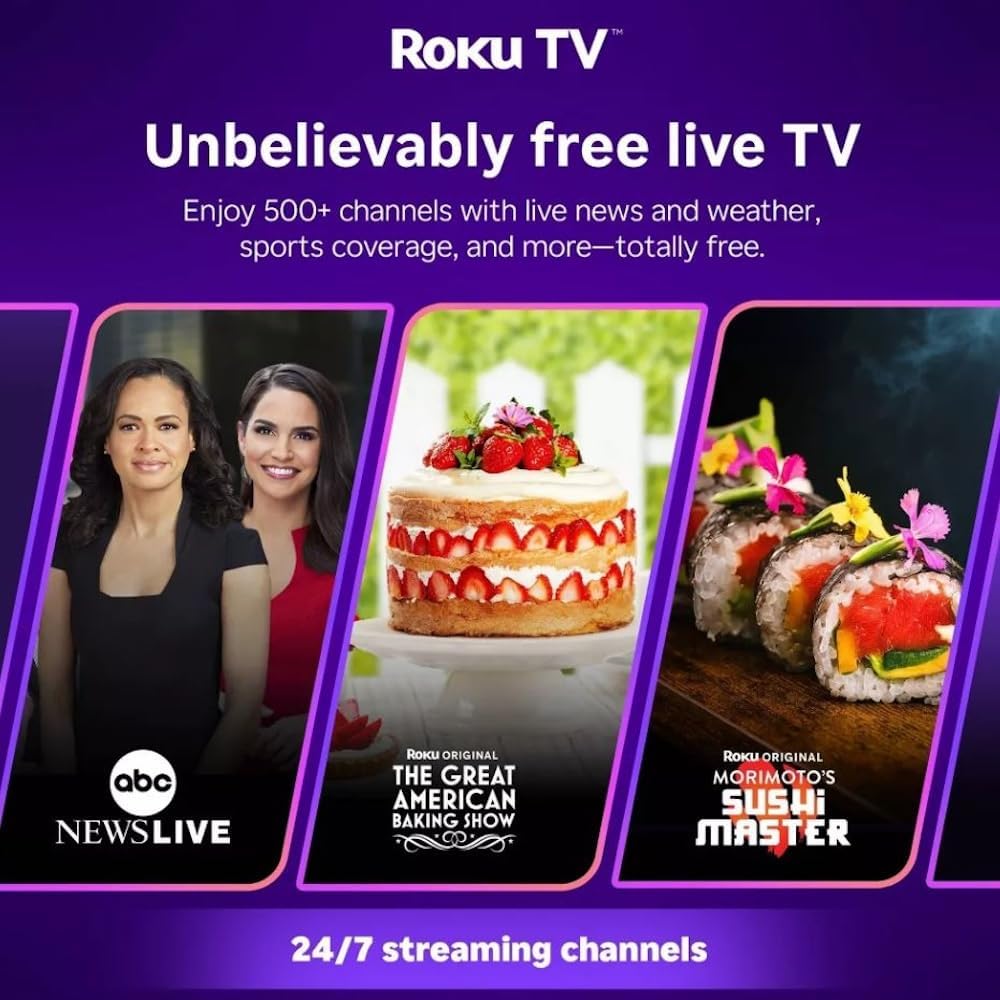
Roku TV interface promoting free live TV channels, featuring examples like ABC News Live, The Great American Baking Show, and Morimoto's Sushi Master.
Access a wide range of streaming services and free content through the Roku Channel Store. The Roku platform offers over 500 free channels, including live television, movies, and news. Use the 'Search' function on the home screen to find specific titles or channels.
Audio Features

Roku Hiro TV displaying the home screen with various streaming apps, emphasizing enhanced audio quality.
The TV features enhanced audio quality. For private listening, you can pair Bluetooth headphones directly with the TV. Navigate to Settings > Remotes & devices > Bluetooth devices > Pair new device to connect your headphones.
Ûnderhâld
De TV skjinmeitsje
- Doch altyd de stekker fan 'e tv út it stopkontakt foardat jo it skjinmeitsje
- Brûk in sêfte, pluisfrije doek om it skerm en de kast sêft ôf te feegjen.
- Foar koppige merken, licht dûsjeampMeitsje de doek skjin mei wetter of in mylde, net-skurende skermreiniger. Spuit de reiniger net direkt op it skerm.
- Foarkom it brûken fan hurde gemikaliën, abrasive pads of oplosmiddels.
Software Updates
The Roku TV automatically checks for and installs software updates when connected to the internet. To manually check for updates, go to Ynstellings > Systeem > Software-update.
Troubleshooting
| Probleem | Oplossing |
|---|---|
| Gjin macht | Soargje derfoar dat de stroomkabel goed ferbûn is mei sawol de tv as in wurkjend stopkontakt. Besykje in oar stopkontakt. |
| Gjin byld, mar lûd is oanwêzich | Kontrolearje de ynfierboarne. Druk op de Thús button on the remote and select the correct input. Ensure all HDMI cables are securely connected. |
| Gjin lûd, mar byld is oanwêzich | Kontrolearje it folumenivo en soargje derfoar dat de tv net stil stiet. As jo eksterne audio brûke, kontrolearje dan de ferbiningen en ynstellings. |
| Kin gjin ferbining meitsje mei Wi-Fi | Ferifiearje jo Wi-Fi-wachtwurd. Start jo router en modem opnij. Gean nei Settings > Network > Set up connection to reconfigure. |
| Remote control wurket net | Ferfange de batterijen yn 'e ôfstânsbetsjinning. Soargje derfoar dat der gjin obstakels binne tusken de ôfstânsbetsjinning en de IR-sensor fan 'e tv. |
Spesifikaasjes
| Model Namme | H32C2C4 |
| Skermgrutte | 32 ynms |
| Display Technology | LED |
| Resolúsje | 720p |
| Ferfarskje Rate | 60 Hz |
| Bestjoeringssysteem | Roku OS |
| Konnektivität Technology | Bluetooth, HDMI, Optical Audio, USB, Wi-Fi |
| Total Number of HDMI Ports | 3 |
| Totaal USB Ports | 1 |
| Produkt Ofmjittings (D x B x H) | 3.2" D x 28.3" W x 16.9" H |
| Item Gewicht | 7.5 pûn sterling |
| Voltage | 120 Volt (AC) |
| Mounting Type | Tafel Mount |
| Kleur | Swart |
Warranty Information
This Roku Hiro TV is covered by a 90-day Replacement Warranty. Please retain your proof of purchase for any warranty claims. For detailed terms and conditions, refer to the warranty documentation included with your product or visit the official Roku support website.
Stypje
For further assistance, troubleshooting guides, or to contact customer support, please visit the official Roku support website. You can find comprehensive FAQs and contact information there.