Ynlieding
This manual provides essential instructions for the setup, operation, and maintenance of your BLOW Portable Internet Radio RI 1. Please read this manual thoroughly before using the device to ensure proper functionality and to prevent damage.
Wichtige feiligens ynformaasje
- Bliuw it apparaat net oan rein of focht.
- Do not disassemble the device. Refer all servicing to qualified personnel.
- Brûk allinich de levere stroomadapter.
- Avoid ekstreme temperatueren en direkte sinneljocht.
- Hâld it apparaat fuort fan sterke magnetyske fjilden.
Pakketynhâld
Soargje derfoar dat alle items yn it pakket oanwêzich binne:
- BLOW Internet Radio RI 1
- Stromadapter
- User Manual (in Polish and English)

Image: The BLOW Internet Radio RI 1 packaging, showing the radio unit, power adapter, and user manual.
Produkt oerview
The BLOW Portable Internet Radio RI 1 offers a wide range of features for an enhanced audio experience. It includes internet radio access, FM tuner, Bluetooth connectivity, and a clear LCD display.

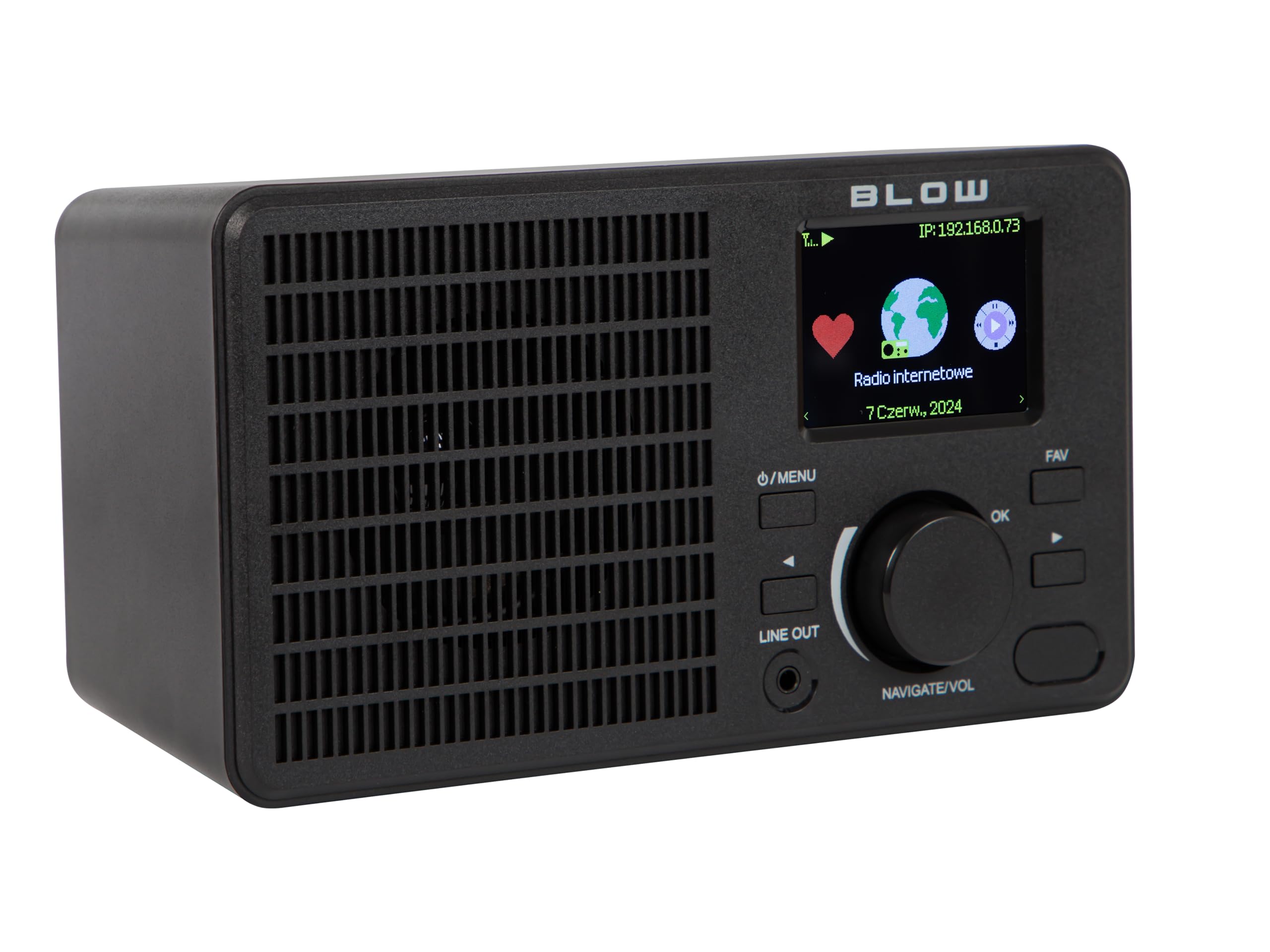
Ofbylding: Front view of the BLOW Internet Radio RI 1, showcasing the display, speaker grille, and control buttons.
Key Features:
- Ynternet radio: Access thousands of stations worldwide via Wi-Fi.
- Wi-Fi-ferbining: Wireless access to internet radio and network features.
- Bluetooth: Stream music from mobile devices.
- 2.4-inch TFT-kleurendisplay: Shows station information and track details.
- Dual Alarm with Snooze: Wake up to music or news.
- Line Out: Ferbine mei in amplifier or external audio system.
- Kompakt ûntwerp: Elegant black design suitable for various interiors.
- FM-tuner: For local radio broadcasts.
Ofbylding: Efterkant view of the BLOW Internet Radio RI 1, showing the DC 5V power input and product information label.
Opsette
1. Power Connection
- Connect the provided power adapter to the DC 5V input port on the back of the radio.
- Stek de stroomadapter yn in standert stopkontakt.
- De radio sil automatysk oangean of yn standby-modus gean.

Image: The power adapter included with the BLOW Internet Radio RI 1, showing the plug and DC connector.
2. Initial Wi-Fi Setup
- Upon first power-on, the radio will guide you through the initial setup process.
- Use the navigation dial and OK button to select your preferred language.
- De radio sil sykje nei beskikbere Wi-Fi-netwurken. Selektearje jo netwurk út 'e list.
- Enter your Wi-Fi password using the navigation controls. Confirm with the OK button.
- Sadree't de ferbining makke is, sil de radio in befêstigingsberjocht werjaan.

Image: The BLOW Internet Radio RI 1 display showing the internet radio interface with network status.
Operating Instructions
Basis kontrôles
- Oan/út/Menu-knop: Press to turn on/off or access the main menu.
- Navigate/Volume Dial: Rotate to navigate menus or adjust volume. Press to confirm selection.
- OK knop: Befêstiget seleksjes.
- FAV knop: Accesses favorite stations.
- Line Out: 3.5mm jack for connecting to external audio systems.

Ofbylding: In close-up view of the BLOW Internet Radio RI 1's control panel, highlighting the display and buttons.
Ynternet radio modus
- From the main menu, select "Internet Radio".
- Browse stations by location, genre, or search by name.
- Select a station and press OK to start playback.
- To save a station as a favorite, navigate to the station and press the FAV button.
FM -radiomodus
- From the main menu, select "FM Radio".
- Use the navigation dial to tune to a frequency or perform an auto-scan for stations.
- Press OK to select a station.
Bluetooth-modus
- From the main menu, select "Bluetooth". The radio will enter pairing mode.
- On your mobile device (smartphone, laptop), enable Bluetooth and search for "BLOW RI 1".
- Select the radio to pair. Once connected, you can stream audio from your device to the radio.

Image: The BLOW Internet Radio RI 1 shown alongside a smartphone, illustrating Bluetooth connectivity for music streaming.
Wekker Funksje
- Access the "Alarm" settings from the main menu.
- Ynstelle oant twa ûnôfhinklike alarmen.
- Configure alarm time, source (buzzer, internet radio, FM), and snooze duration.
- Ensure the radio is connected to power for the alarm to function reliably.
Ûnderhâld
- Reiniging: Brûk in sêfte, droege doek om it oerflak fan 'e radio skjin te meitsjen. Brûk gjin floeibere skjinmakkers of skurende materialen.
- Opslach: As de radio foar langere perioaden net yn gebrûk is, bewarje dy dan op in koel, droech plak.
- Software Updates: Periodically check for firmware updates through the radio's system settings to ensure optimal performance and access to new features.
Troubleshooting
| Probleem | Mooglike oplossing |
|---|---|
| Gjin macht | Check if the power adapter is securely connected to the radio and the electrical outlet. Try a different outlet. |
| Kin gjin ferbining meitsje mei Wi-Fi | Ensure your Wi-Fi password is correct. Check if your router is working. Try restarting the radio and your router. Ensure the radio is within range of your Wi-Fi signal. |
| Internet radio stations not playing | Verify your internet connection is active. Some stations may be temporarily offline. Try other stations. |
| Bluetooth-kearing mislearret | Ensure the radio is in Bluetooth pairing mode. Make sure Bluetooth is enabled on your mobile device and it's within range. Try unpairing and re-pairing. |
| Slechte FM-ûntfangst | Adjust the radio's position. Ensure there are no strong interference sources nearby. |
Spesifikaasjes
| Eigenskip | Detail |
|---|---|
| Merk | Blaze |
| Model | 5900804137467 |
| Konnektivität Technology | Wi-Fi, Bluetooth, Aux, Line Out |
| Tuner Technology | FM |
| Display Type | LCD (2.4-inch TFT Color Display) |
| Power Boarne | Corded Electric (AC: 100-240V, 50/60Hz; DC: 5V/1A) |
| Kompatibele apparaten | Smartphone, Laptop, Headphones |
| Special Features | Lightweight, Portable, Dustproof, Built-in Clock, Dual Alarm with Snooze |
| Produkt Ofmjittings | 19.4 sm (L) x 8.8 sm (B) x 11 sm (H) |
| Kleur | Swart |
Garânsje en stipe
For warranty information and technical support, please refer to the contact details provided in the separate warranty card included with your product or visit the official BLOW website.
Fabrikant: BLAZE
Website: www.blow.pl


