Trudian Manuals & User Guides
Trudian specializes in smart community and security solutions, manufacturing advanced access control systems, smart locks, video intercoms, and PoE switches.
About Trudian manuals on Manuals.plus
Trudian (Guangdong Trudian Technology Co., Ltd.) is a leading provider of smart community and home security hardware. The company specializes in developing integrated access control ecosystems that combine robust hardware with intelligent software management.
Wichtige produktlinen omfetsje:
- Slimme slûzen: Biometric solutions utilizing fingerprint, palm vein, and facial recognition technology.
- Tagongskontrôle: Standalone terminals and networked Wiegand controllers for secure building entry.
- Video Intercoms: IP and 2-wire master stations and outdoor units for visitor management.
- Netwurkapparatuer: Industrial PoE and non-PoE switches designed for security surveillance networks.
Trudian emphasizes user-friendly experiences, with many devices supporting the Tuya Smart app for remote unlocking, monitoring, and dynamic password generation.
Trudian manuals
Lêste hantliedingen fan manuals+ gearstald foar dit merk.
Trudian TD-8701 Wiegand tagongscontroller brûkershânlieding
Trudian TD-Q5-B Palm Vein Smart Lock User Manual
Trudian TD-X2-B Knob Lock Mei Fingerprint User Guide
Trudian Master Station Video Intercom User Manual
Trudian Palm Vein Smart Lock User Manual
Trudian TD-D3R36 4 Wire Analog Video Intercom Kit User Manual
Trudian TD-R39 Digital Intelligent Building Video Intercom System User Manual
Trudian 26 Wiegand Access Control Reader User Manual
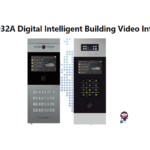
Trudian TD-D32A Digital Intelligent Building Video Intercom System User Manual
Trudian Digital Intelligent Building Video Intercom System Outdoor Station User Manual
Trudian Digital Intelligent Building Video Intercom System: Linux Outdoor Station User Manual
Wiegand Access Control Reader User Manual - Trudian
2-Wire IP Video Intercom Kit User Manual - Trudian
Trudian TD-X2-B Smart Door Lock Snelle Startgids
Wiegand Access Controller User Manual - Trudian TD-8701
Trudian TD-X2-B Smart Knob Lock Installation and Operation Guide
Trudian TD-F2-B Smart Door Lock Quick Start Guide
Trudian TD-D4R85M 2-Wire IP Video Intercom Kit | Features & Specifications
Trudian TD-M1-B Smart Sliding Door Lock brûkershantlieding | Funksjes en spesifikaasjes
Trudian Smart Home Security Solutions: Tagongskontrôle, Smart Locks, Fideo-ynterkom en Netwurkswitches
Trudian TD-X6-B Smart Door Lock Snelle Startgids
Trudian manuals from online retailers
10" LCD Tuya 2-Wire Video Doorbell Intercom System User Manual
Trudian video guides
Besjoch fideo's oer ynstellen, ynstallearjen en probleemoplossing foar dit merk.
Trudian support FAQ
Faak stelde fragen oer hantliedingen, registraasje en stipe foar dit merk.
-
How do I reset my Trudian smart lock to factory settings?
Typically, you can reset a Trudian smart lock by pressing and holding the setting key (often located on the rear panel or battery compartment) for about 5 seconds. Follow the voice prompts to confirm the reset. This will clear all user data and restore the default administrator password.
-
What app does the Trudian video intercom system use?
Many Trudian video intercoms and smart locks are compatible with the Tuya Smart app. Users can download the app, connect their device via 2.4GHz Wi-Fi, and use it for remote unlocking, monitoring, and receiving visitor notifications.
-
How do I add a new user card to the Trudian access control terminal?
To add a user card, enter the programming mode (default code is often *#88888888# or similar), then enter the command for adding a user (e.g., press '1'), and swipe the new card. Refer to your specific model's manual for exact programming codes.
-
What should I do if my Trudian smart lock battery is low?
When the battery is below 25%, the lock will issue a 'Low Battery' voice prompt. You should replace the batteries immediately. In an emergency, most models feature a Micro-USB or USB-C port for external emergency power supply to unlock the door temporarily.